
Standing at an ATM, mid-shopping at a mall, or just trying to confirm a salary credit — and you suddenly need your FAB account balance right now. Sound familiar? The good news? First Abu Dhabi Bank gives you several official, secure ways to do it without setting foot in a branch. The catch is that not every method is equally fast, and a few have small caveats most people miss.
This guide walks you through every legit way to check your FAB Bank balance in the UAE — from the FAB Mobile app and Online Banking to SMS, ATM, WhatsApp, and customer care. You'll also see what to do if your balance looks wrong, common errors and fixes, and how to stay safe from fake portals. Let’s get into it.
Quick Answer
To check your FAB Bank balance in the UAE, log in to the FAB Mobile app or FAB Online Banking and open Account Summary. You can also send an SMS to 2121, use any FAB ATM, message FAB on WhatsApp, or call FAB customer care. The fastest method for most users is the FAB Mobile app with biometric login.
What Is FAB Bank and Who Should Read This
First Abu Dhabi Bank (FAB) is the UAE’s largest bank, formed by the merger of NBAD and FGB. It serves millions of personal, salary, business, and prepaid cardholders across Abu Dhabi, Dubai, Sharjah and the rest of the Emirates.
This guide is built for:
- Salary account holders who want to confirm credits instantly.
- FAB Ratibi prepaid cardholders looking to check balance without a full bank account.
- New customers who just opened an account and want a clean walk-through of every method.
- Anyone who got a "fake balance check link" on WhatsApp or SMS and wants to know the real official channels.
If you’re new to FAB and still picking an account, our FAB personal savings account opening guide explains the requirements before you ever need to check a balance.
All Official Ways to Check FAB Bank Balance
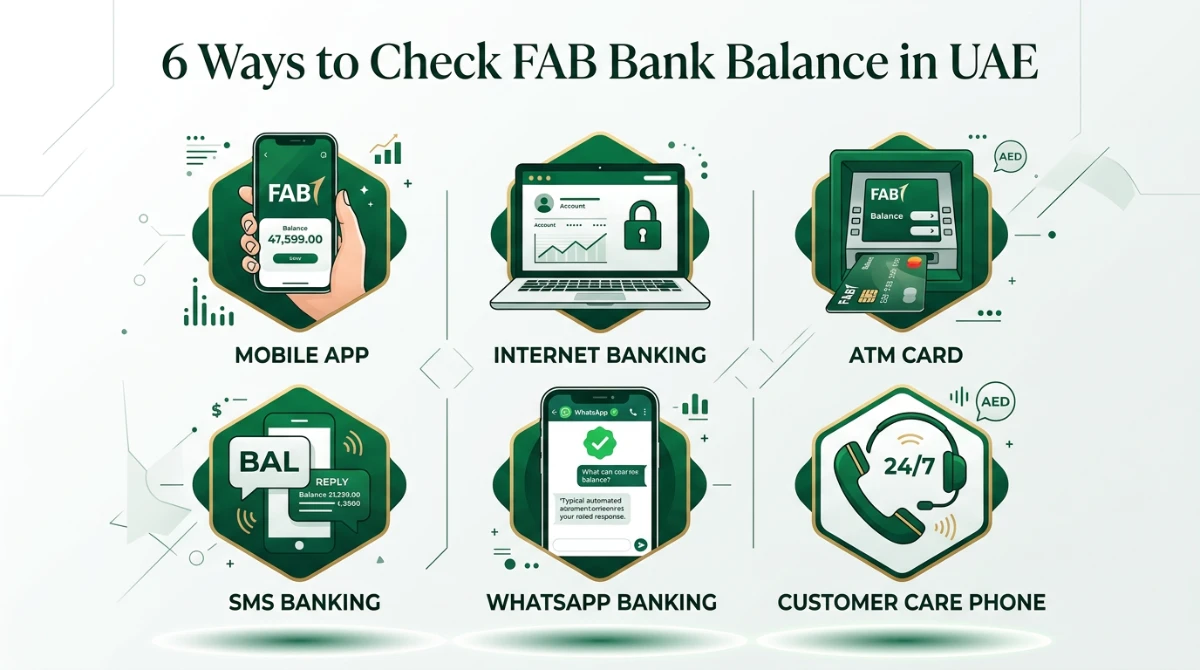
Here’s the deal: FAB doesn’t want you stuck in a branch queue just to see a number. So the bank offers several digital channels — pick whichever fits your situation.
| Method | Best For | Speed | What You Need |
|---|---|---|---|
| FAB Mobile App | Daily use, full account view | Instant | Smartphone + login or biometrics |
| FAB Online Banking | Statements, transfers, deeper details | Instant | Computer/browser + login |
| FAB ATM | No internet, on-the-go | Under a minute | Debit card + 4-digit PIN |
| SMS Banking (2121) | Basic phones, low data | Under a minute | Registered mobile number |
| WhatsApp Banking | Quick chat-style queries | Instant | Smartphone + WhatsApp |
| Customer Care | App/login locked out | 2–10 minutes | Phone + ID verification |
Check FAB Balance Using the FAB Mobile App
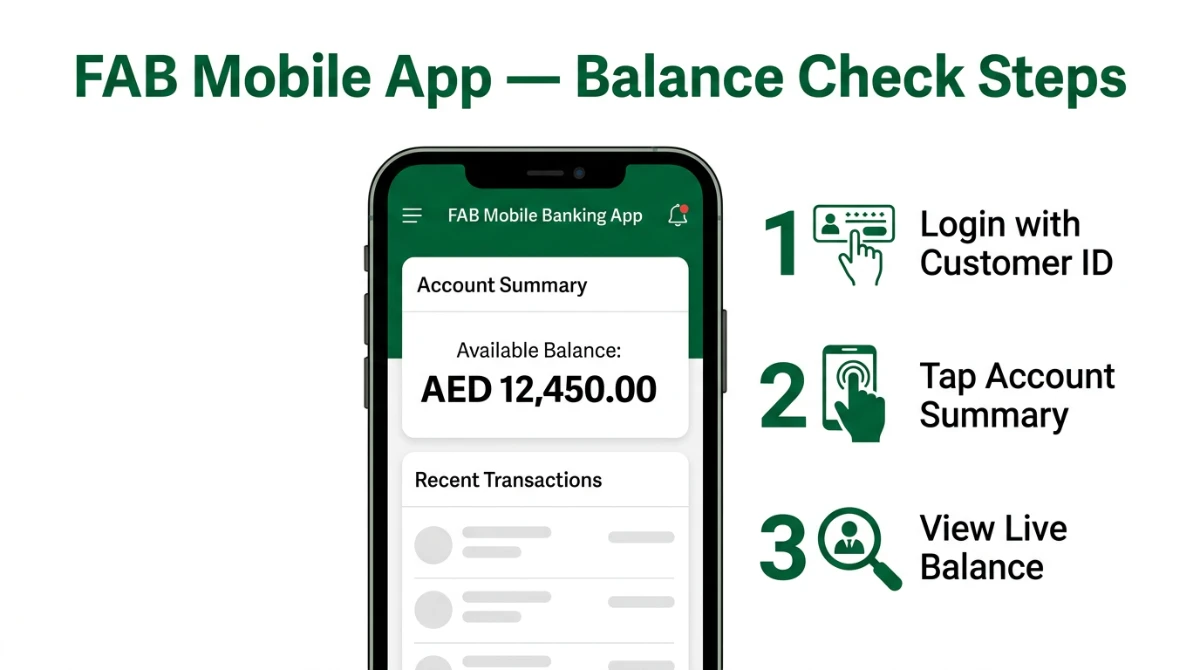
The FAB Mobile app is the most convenient option for everyday use. It’s available on both Android and iOS, supports biometric login, and shows your live available balance the moment you open it.
Step-by-Step
- Download the official FAB Mobile app from the Google Play Store or Apple App Store.
- Open the app and tap Register. Enter your debit/credit card number or User ID, then verify the OTP sent to your registered UAE mobile number.
- Set a strong password and enable Face ID or fingerprint login.
- Once logged in, your Available Balance appears on the home screen under Accounts.
- Tap any account tile to see recent transactions, debits, and credits in detail.
Check FAB Balance Through Online (Internet) Banking
If you’re working on a laptop or want to download statements alongside your balance, FAB Online Banking is the cleanest option. The web portal shows the same balance as the app but with a wider screen view and easier export options.
Step-by-Step
- Open a browser and go to the official First Abu Dhabi Bank website.
- Click Login and choose Personal Banking — Online Banking.
- Enter your User ID and password, then complete the OTP verification.
- From the dashboard, open Accounts → your account tile shows the live balance.
- Click View Statement if you want to download recent activity as PDF.
Need a downloadable statement after checking your balance? Our walkthrough on how to get your FAB bank statement online easily covers PDF export, date ranges, and email delivery.
Check FAB Balance at Any FAB ATM
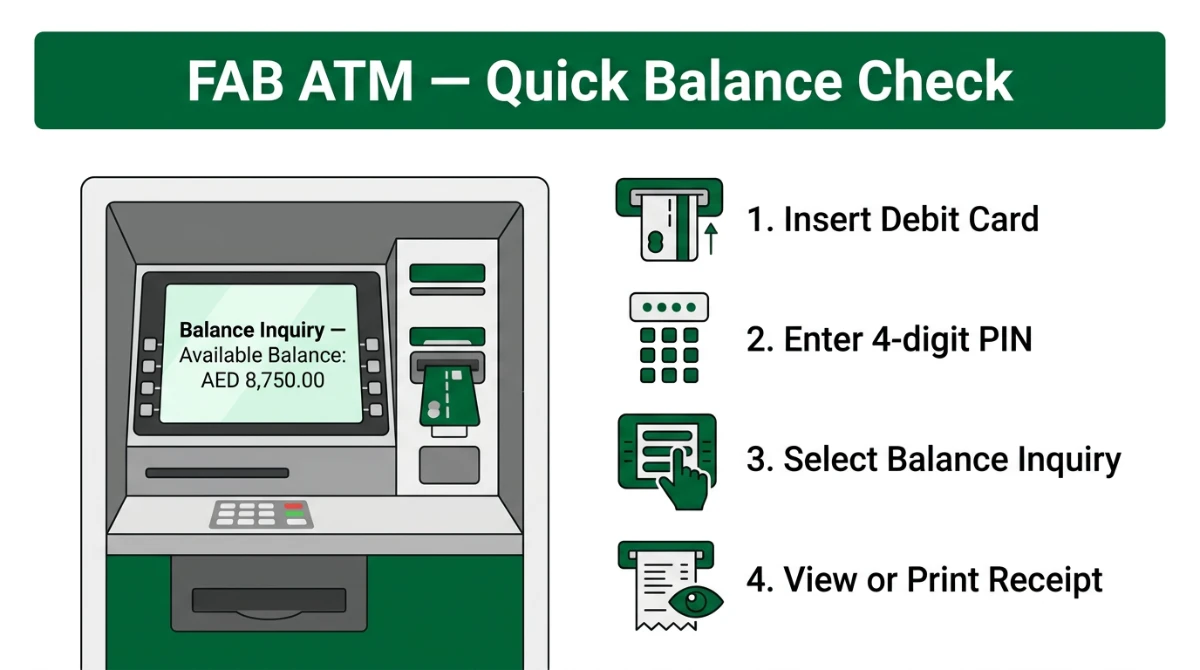
No internet? No problem. FAB has one of the largest ATM networks in the UAE, and balance enquiry at a FAB-owned ATM is free for FAB cardholders.
Step-by-Step
- Insert your FAB debit, credit, or Ratibi card into any FAB ATM.
- Choose your language (English / Arabic).
- Enter your 4-digit PIN.
- Select Balance Inquiry from the menu.
- View the balance on screen, or print a slip if you need a paper record.
Check FAB Balance via SMS Banking
FAB’s SMS service is the simplest fallback. It works on any mobile, even older feature phones, and doesn’t need internet.
Step-by-Step
- Make sure your mobile number is registered with FAB. If not, update it through the app, online banking, or by visiting a branch.
- From your registered number, send an SMS with the keyword BAL followed by the last four digits of your account.
- Send it to 2121.
- You’ll get a return SMS within seconds showing your available balance.
Check FAB Balance via WhatsApp Banking
FAB also offers a chat-based balance enquiry on WhatsApp. It’s ideal when you want a quick reply without opening another app.
Step-by-Step
- Save the official FAB WhatsApp banking number from the FAB website or your latest official statement.
- Send a "Hi" or "Hello" message from your registered mobile number.
- Authenticate using the secure prompts (you may be redirected for OTP verification).
- Choose Balance Enquiry from the menu.
- Your account balance will be sent back as a chat reply.
Check FAB Balance via Customer Care
If your app is locked, your password is forgotten, or you’re abroad, the phone is still your friend.
- Call FAB customer care for personal banking from your registered number.
- Select your language and follow the IVR menu.
- Choose Balance Enquiry or speak to a representative.
- Verify your identity using your card number, account details, and the security questions FAB has on file.
- Your balance is read out, or sent via SMS for security.
Information You Need Before Checking Balance
Each method asks for slightly different details. Have these ready:
| Method | Required Details |
|---|---|
| FAB Mobile App | User ID + password, or biometric login |
| Online Banking | User ID + password + OTP |
| ATM | FAB debit/credit/Ratibi card + 4-digit PIN |
| SMS | Registered UAE mobile number + last 4 digits of account |
| Registered mobile + OTP / secure prompt | |
| Customer Care | Account number, Emirates ID details, security questions |
Common Errors and How to Fix Them
| Error / Issue | Likely Cause | Fix |
|---|---|---|
| "Invalid login" | Wrong User ID or password | Use Forgot Password on the app/web |
| OTP not received | Outdated mobile number on file | Update number via branch or online banking |
| SMS to 2121 fails | SMS sent from non-registered number | Send from the number FAB has on record |
| Balance looks wrong | Pending transaction not posted | Wait for posting cycle, then check again |
| Card blocked at ATM | Multiple wrong PIN attempts | Call customer care to unblock |
| App keeps logging out | Outdated app version / poor signal | Update from store and switch to Wi-Fi |
If your card itself is the problem, our guide on activating a FAB Ratibi card online may help, and if you ever need to switch off a lost card, see deactivating your FAB debit card.
Fees and Free Methods
Most of FAB’s digital channels are free for personal customers. Here’s the simple picture:
- Free: FAB Mobile app, FAB Online Banking, balance enquiry at FAB ATMs, customer care IVR balance read-out.
- May carry charges: Balance enquiry at non-FAB ATMs in the UAE or abroad. SMS may incur normal telecom charges from your operator.
- Always confirm: Specific fees can change. Check on-screen messages before approving any transaction at an ATM.
Bottom line: if you want zero cost, use the app, web banking, or a FAB-owned ATM.
Safety Tips: Avoid Fake Portals and Scams
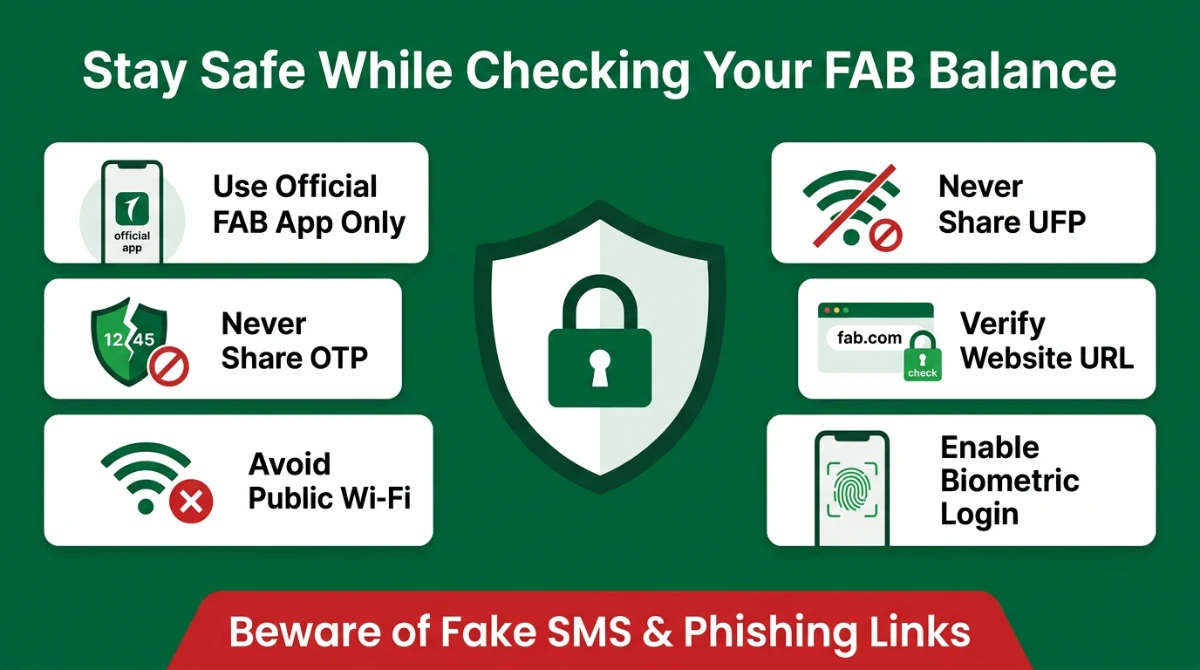
Banking scams in the UAE often start with a fake balance check link or a "your account is blocked" SMS. Here’s how to stay safe:
- Use only the official FAB Mobile app from Google Play or Apple App Store — verify the publisher name.
- Never share your OTP, password, PIN, or CVV with anyone — including a "FAB agent" on call.
- Avoid public Wi-Fi when logging in. Use mobile data or a trusted home network.
- Check the URL before entering credentials. The official FAB domain should match what’s shown on your card or statement.
- Enable transaction alerts so you’re notified the moment money moves in or out.
- Don’t click "balance check" links forwarded via WhatsApp groups — even from friends.
What If Your FAB Balance Looks Wrong?
Sometimes you check and the number just doesn’t match what you expected. Before panicking, run through this list:
- Pending transactions: Card swipes can take a day or two to post. Your available balance may already reflect them while your statement balance hasn’t updated.
- Hold on funds: Hotels, fuel stations, and car rentals often place temporary holds.
- Standing instructions: Auto-debits like rent, DEWA, telecom, or loan EMIs can hit silently.
- Salary timing: Some employers process salaries in batches, so credits may appear later than expected.
- FX conversions: International card use can settle at a different rate than the swipe time.
If after 48 hours something still looks off, raise a dispute through the app or call customer care.
Already managing repayments alongside your balance? Our breakdown on FAB personal loan in UAE shows how EMIs are debited and how to reconcile them with your account view.
Frequently Asked Questions
Is checking FAB Bank balance online free in UAE?
Yes. Balance checks via the FAB Mobile app, FAB Online Banking, and FAB-owned ATMs are free for personal customers. SMS to 2121 may incur a small standard SMS charge from your telecom operator, but FAB itself does not charge for balance enquiries on its own digital channels.
Why is my FAB balance not updating after a transaction?
Card transactions can take 24–48 hours to fully post. In the meantime, the bank shows an available balance that already accounts for the transaction, while the book balance reflects only settled entries. If a transaction is missing after two business days, dispute it through the app or call customer care.
What do I do if I forget my FAB Mobile or Online Banking password?
On the login screen, tap Forgot Password. You’ll be asked for your User ID, debit card details, and an OTP sent to your registered mobile. Once verified, you can set a new password instantly. If verification fails, call FAB customer care from your registered number to reset access.
Can I check my FAB Ratibi prepaid card balance the same way?
Ratibi cardholders can check balance through the dedicated FAB prepaid card enquiry portal, FAB ATMs, and SMS. The FAB Mobile app primarily serves full account holders, so prepaid users should rely on the prepaid portal and SMS for the simplest balance view.
Can I check my FAB account balance from outside the UAE?
Yes. The FAB Mobile app and FAB Online Banking work internationally as long as you have internet and your registered SIM can receive OTPs (or you’ve enabled email OTP/soft token). Customer care also supports international callers, though call charges from your country may apply.
What is the SMS keyword and number to check FAB balance?
Send BAL followed by the last four digits of your account in a single SMS to 2121 from your registered FAB mobile number. You’ll receive your available balance by SMS within seconds. Make sure the sending number matches what’s on file with the bank.
Can I check my FAB credit card balance and not just my account?
Yes. The FAB Mobile app and Online Banking show all linked products under one login, including credit cards. You can see the available credit limit, current outstanding, minimum due, and statement date. ATMs and SMS are mostly tuned for debit/account balance, so use the app for credit card details.
Final Takeaway
Checking your FAB Bank balance in the UAE shouldn’t be hard — and it isn’t. The FAB Mobile app handles the daily, on-the-go check; Online Banking is your friend for deeper account work; ATMs cover you when you’re offline; and SMS, WhatsApp, and customer care fill every other gap.
The smartest move is to keep your registered mobile number current, enable biometric login on the app, and turn on transaction alerts so you never have to wonder where your money went. Stick to official FAB channels, ignore random "balance check" links, and you’ll spend less time worrying and more time managing your money.
If this guide helped, save it, share it with a friend who just opened an FAB account, and drop your method of choice in the comments.
Sources
- First Abu Dhabi Bank — Official Personal Banking website: https://www.bankfab.com/
- FAB Mobile app — Apple App Store listing
- FAB Mobile app — Google Play Store listing
- FAB Online Banking login portal — official FAB website
- FAB Prepaid Card / Ratibi enquiry portal — official FAB website
- FAB customer care contact page — official FAB website
Last verified: May 2026. Channels and procedures may change — always confirm with the official FAB website or branch.
