
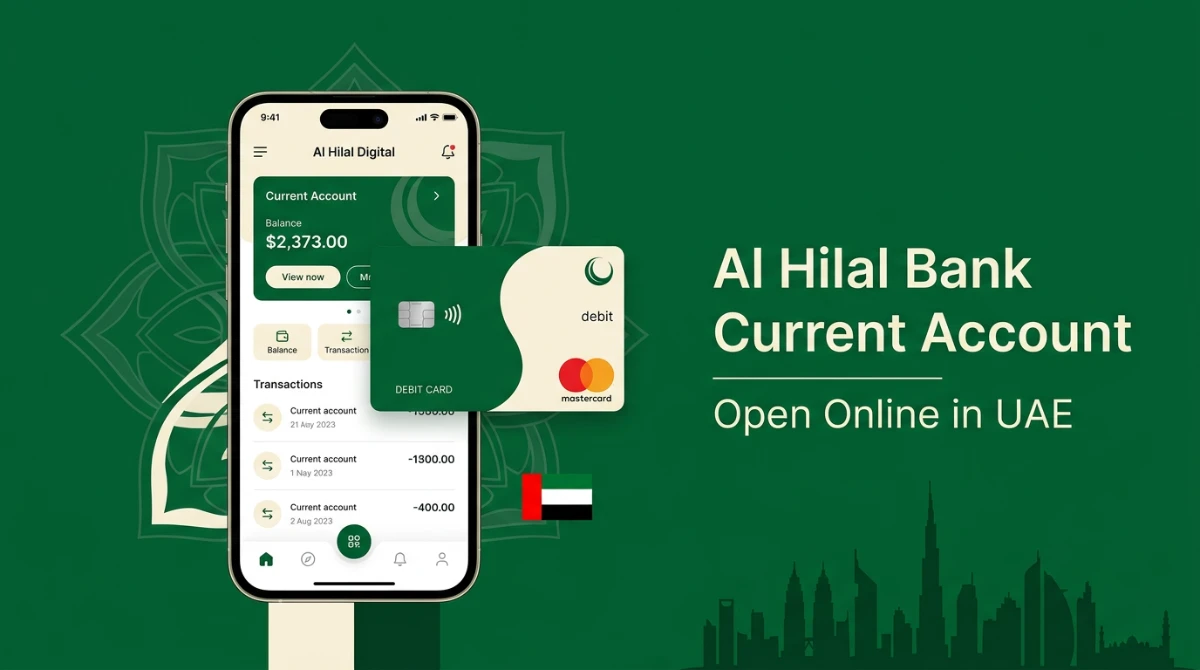
Tired of accounts that demand a hefty minimum balance every month? You are not alone. Most UAE residents want a single account that handles salary, bills, transfers, and daily card payments — without quietly chipping away at the balance with maintenance fees.
Here is the deal: the Al Hilal Bank Current Account is built exactly for that need. It is a zero-balance, Shariah-compliant account that opens entirely from your phone, ships you a virtual MasterCard debit card on day one, and gives you free cash withdrawals across the entire ADCB ATM network in the UAE.
This guide walks you through eligibility, documents, the full app-based opening flow, fees worth knowing, common mistakes, and the safest way to verify everything before you tap "Apply". Let’s get into it.
Quick Answer
The Al Hilal Bank Current Account is a Shariah-compliant, zero-minimum-balance account for UAE residents and GCC nationals aged 21+. You can open it 100% online via the Al Hilal Digital app using UAE PASS or by manually scanning your Emirates ID and passport. After a short video selfie, the account is typically activated within 2–3 working days, with a free virtual MasterCard debit card available instantly.
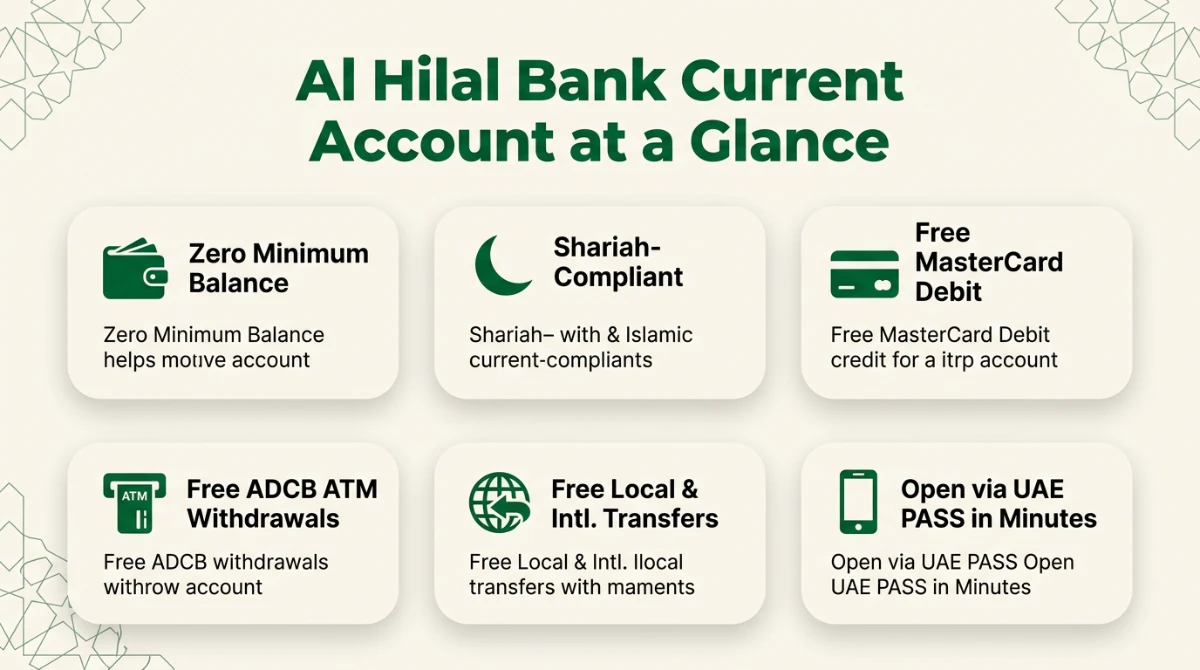
What Is the Al Hilal Bank Current Account?
Al Hilal Bank is part of the ADCB Group, which is why account holders get free cash withdrawals at ADCB ATMs across the country. The current account is its everyday banking product — designed for salary credits, daily spending, transfers, and online purchases under fully Islamic banking principles.
Unlike a savings account, a current account is built around movement of money: high transaction frequency, debit card use, transfers, and bill payments. There is no profit on balance — instead you get cost-free banking with strong digital tools.
If you are weighing options, you may also want to compare it with our broader roundup of the best zero-balance accounts in the UAE before locking in a choice.
| Feature | Details |
|---|---|
| Account Type | Personal Current Account |
| Shariah Compliance | Yes — fully Islamic |
| Minimum Balance | None (zero balance) |
| Debit Card | MasterCard Debit (Virtual + Physical) |
| ATM Access | Free at ADCB & Al Hilal ATMs across UAE |
| Local & International Transfers | Free via the app |
| e-Statements | Free, available in-app |
| Currencies Supported | AED, USD, GBP, EUR, CAD |
| Onboarding | UAE PASS or standard scan + video selfie |
| Activation Time | Typically 2–3 working days |
Who Should Choose This Account?
This account fits a clear profile. It is ideal if you:
- Want zero monthly maintenance worries and no minimum balance pressure.
- Prefer Islamic banking and Shariah-compliant operations.
- Need a fast, fully-online onboarding through your phone.
- Use international transfers regularly and dislike high wire fees.
- Withdraw cash often and want a wide ATM footprint via the ADCB network.
It is less ideal if you specifically need a profit-bearing account or a corporate setup — for those needs, a dedicated savings or business product would be a better starting point.
Eligibility Criteria
The eligibility is intentionally simple. The bank uses these checks to comply with UAE Central Bank KYC norms:
| Requirement | Detail |
|---|---|
| Minimum Age | 21 years |
| Nationality | UAE national, GCC national, or UAE resident |
| Identity | Valid Emirates ID is mandatory for residents |
| Residency Visa | Required for non-GCC expats |
| Mobile Number | Active UAE mobile for OTP verification |
| Active personal email for account access & statements |
Documents You Need Before You Start
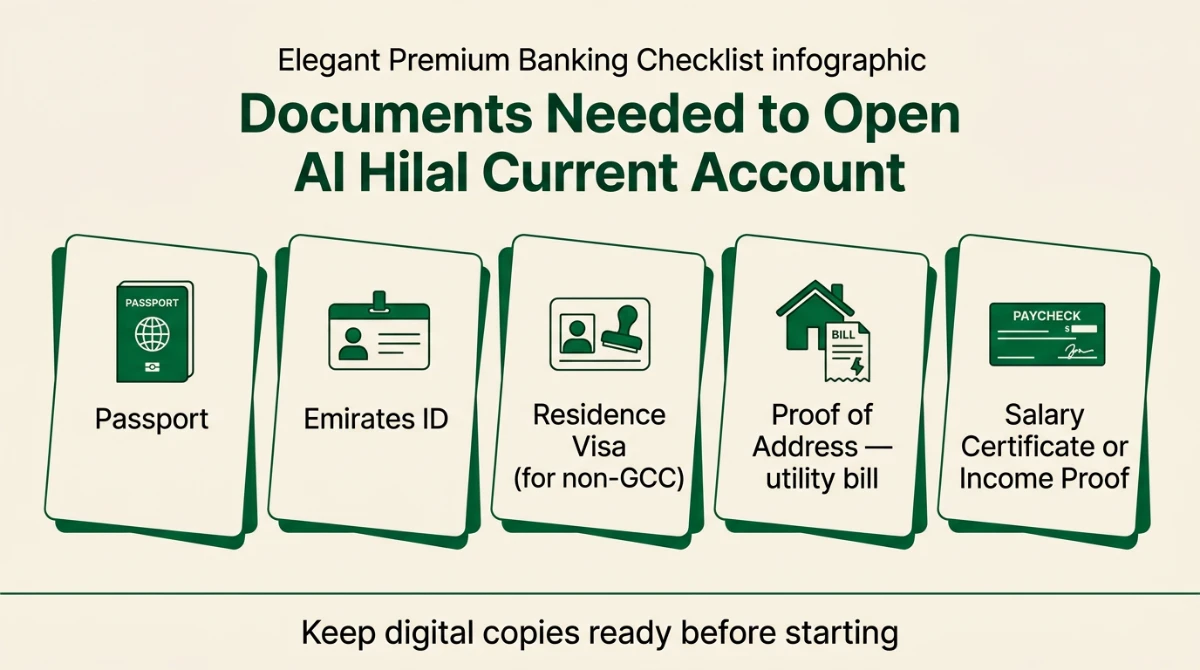
Keep clear, sharp digital copies handy. Blurry scans are the most common reason onboarding gets rejected on the first try.
| Document | Notes |
|---|---|
| Passport | Original — required for in-app scan |
| Emirates ID | Original, not expired — both sides |
| Residence Visa | Required for non-GCC expats (linked to passport) |
| Proof of Address | DEWA / SEWA / Etisalat / du bill in your name |
| Salary Certificate | If salaried — issued by employer |
| Income / Trade Proof | If self-employed (trade licence, audited statement) |
| Recent Bank Statement | Optional but speeds up profiling |
UAE PASS vs Standard Onboarding
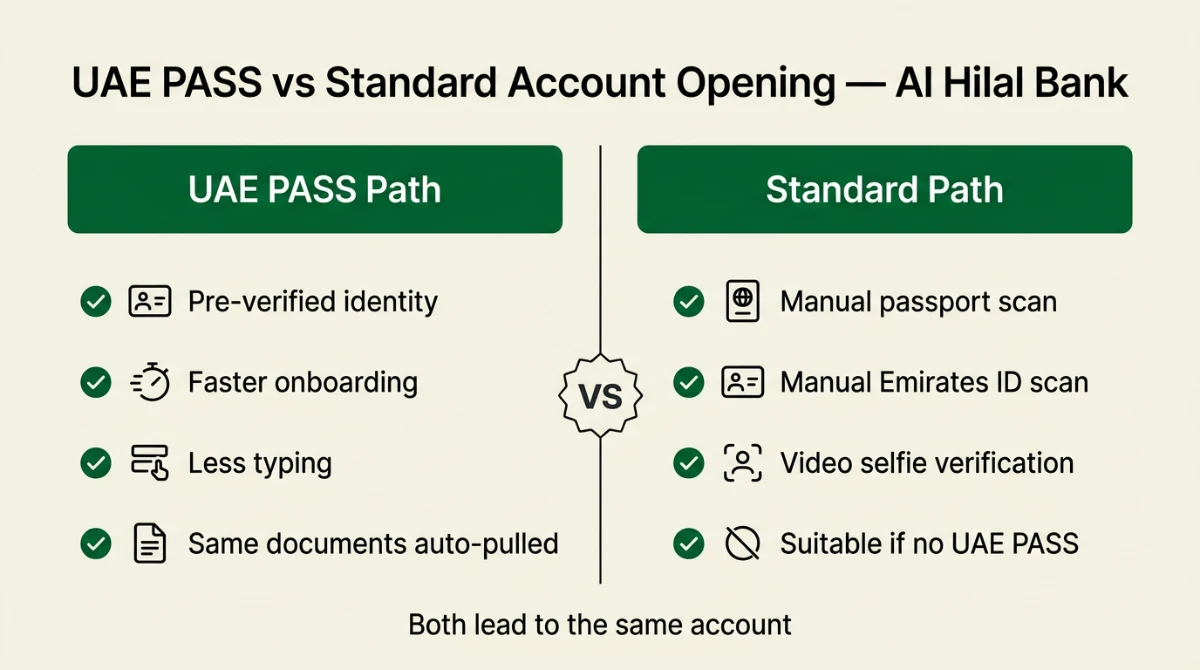
The Al Hilal Digital app gives you two routes during onboarding. Both end with the same account, but the experience differs.
- UAE PASS path: Your identity, name, and Emirates ID details are auto-pulled from the federal digital identity. Less typing, fewer manual scans.
- Standard path: You scan your passport and Emirates ID inside the app and complete a quick video selfie. Useful if you don’t have UAE PASS set up yet.
Bottom line: if you have UAE PASS, use it — you’ll save 5–7 minutes and reduce scan errors. Otherwise the standard path works perfectly fine.
How to Open Al Hilal Current Account Online (Step-by-Step)
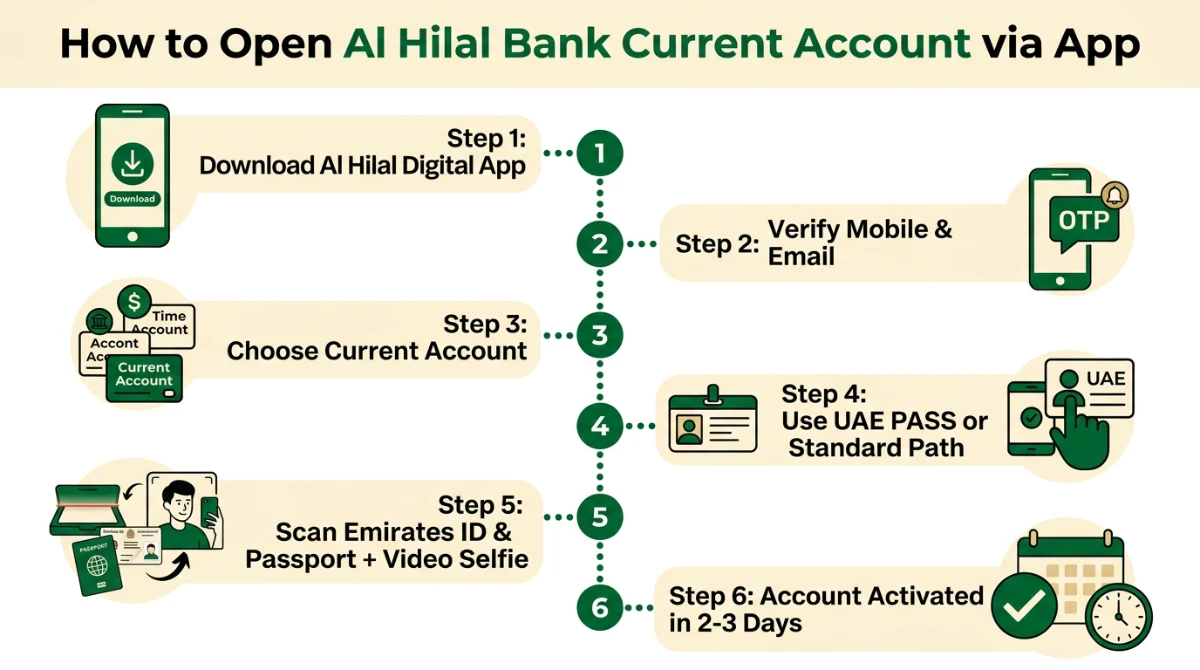
Here is the full flow, written exactly the way the app guides you. Plan around 10 minutes for the live session, then 2–3 days for activation.
Step 1 — Install the Al Hilal Digital App
- Search "Al Hilal Bank" on the Apple App Store or Google Play.
- Download the official app published by Al Hilal Bank PJSC.
- Open it and tap Start Exploring.
Step 2 — Verify Your Mobile and Email
- Enter your active UAE mobile number.
- Approve the 6-digit OTP sent via SMS.
- Enter your full name, date of birth, nationality, gender, and email.
- Set a 4-digit secure passcode and confirm it.
- Open your inbox and verify your email link.
Step 3 — Pick "Current Account" and Choose Your Path
- Inside the app, tap Open a Bank Account.
- Select Current Account from the available product list.
- Choose Continue with UAE PASS (recommended) or Standard Account Opening.
Step 4 — Document Capture & Video Selfie
- Scan your passport using the in-app camera frame.
- Scan both sides of your Emirates ID.
- Record a short video selfie when prompted; verification typically takes 2–3 minutes.
Step 5 — Confirm Your Personal & Address Details
- Review extracted details: full name, ID number, expiry date.
- Add your residential address: flat/villa, building, area, landmark, city.
- Enter employment type and source of income.
- If you are a US citizen, complete the FATCA tax self-declaration honestly.
Step 6 — Submit and Wait for Activation
- Submit the application and wait for backend verification.
- Activation usually completes within 2–3 working days.
- Once active, log in, view your IBAN, and request your physical MasterCard.
Fees, Free Services and What to Expect
One of the strongest selling points of this account is the absence of standard "nuisance fees". That said, real-world banking always has a few moving parts. Here is a clear, honest breakdown.
| Service | Status | Practical Note |
|---|---|---|
| Minimum balance | Free | No fall-below penalty as a baseline |
| Account opening | Free | 100% digital, no branch needed |
| e-Statement | Free | Available anytime in-app |
| Local AED transfers | Free | Within UAE banks via app |
| International transfers | Free in-app | Correspondent or beneficiary bank charges may still apply |
| ADCB ATM cash withdrawal | Free | Across the merged ADCB / Al Hilal network |
| Other-bank ATM withdrawals | Charges may apply | Check the latest schedule of charges in the app |
| Card replacement & courier | Charges may apply | Confirm in-app before requesting |
Common Errors During Onboarding (and How to Fix Them)
| Issue | Likely Cause | Fix |
|---|---|---|
| OTP not received | Network delay or wrong number | Wait 60 seconds, tap "Resend", verify country code |
| Emirates ID scan fails | Glare, expired ID, blurry frame | Use indoor lighting; ensure ID is not expired |
| Video selfie rejected | Mask, sunglasses, weak light | Plain background, face fully visible, no glasses |
| "Application under review" stuck | Manual KYC check pending | Allow 2–3 working days; contact in-app support |
| Forgot 4-digit passcode | Memory lapse | Use Forgot Passcode from login screen |
| FATCA / tax errors | Inconsistent answers | Re-enter country / city of birth carefully |
Safety: Avoiding Fake Apps and Phishing
Banking scams in the UAE almost always start with a fake link or a lookalike app. A few simple habits keep your money safe:
- Download the app only from the Apple App Store or Google Play, published by Al Hilal Bank PJSC.
- Bank staff will never ask for your OTP, passcode, or card CVV. Anyone who does is a scammer.
- Avoid public Wi-Fi when transferring money; use mobile data or a trusted connection.
- Set up biometric login (Face ID / fingerprint) inside the app for daily use.
- Enable transaction alerts so any unauthorised activity is visible immediately.
If you’re comparing this with another fully-digital Islamic option, our walkthrough on opening an ADIB savings account online gives a useful side-by-side perspective.
Realistic Limitations You Should Know
No account is perfect. Set expectations correctly so there are no surprises later:
- The chequebook facility is positioned as "available / under implementation" — do not depend on cheques as your primary payment tool from day one.
- Daily and monthly transaction limits exist for transfers and withdrawals; high-value senders should plan accordingly.
- Non-residents will face additional scrutiny or may not qualify; this account is best suited for UAE/GCC residents.
- An overdraft is not automatic; it is subject to separate approval and Shariah-compliant terms.
Final Tips Before You Apply
- Use the same name spelling everywhere — Emirates ID, passport, and the app form must match exactly.
- Keep your phone charged and connected to a stable network during onboarding.
- Don’t close the app mid-flow; if you do, the in-progress application can usually be resumed at the same step.
- After activation, change the default app passcode and turn on biometric login immediately.
Frequently Asked Questions
Is the Al Hilal current account really zero balance?
How long does it take to activate the account?
Can I use UAE PASS to open the account?
Are international transfers really free?
Can I withdraw cash for free across the UAE?
Is the account Shariah-compliant?
What if my application gets rejected?
Can I manage multiple accounts with one debit card?
Conclusion
If you want a simple, fully digital, fully Shariah-compliant account that respects your time and your wallet, the Al Hilal current account is one of the strongest choices in the UAE today. Zero minimum balance, free local and international transfers, free ADCB ATM withdrawals, and a clean app — that combination is genuinely hard to beat.
Take five minutes, gather your Emirates ID, passport and a recent address proof, install the official Al Hilal Digital app, and complete the application in one sitting. Verify your details carefully, prefer UAE PASS where possible, and turn on biometric login the moment your account goes live. Bookmark this guide if you plan to apply later, and share it with anyone in the UAE who is still stuck paying minimum-balance penalties on an old account.
- Al Hilal Bank — Personal Current Account: https://www.alhilalbank.ae/en/personal/accounts/current-and-savings-accounts/current-account
- Al Hilal Bank — Personal Banking Overview: https://www.alhilalbank.ae/en/personal/
- Al Hilal Bank — Branches & ATMs (ADCB ATM access): https://www.alhilalbank.ae/en/ways-to-bank/wtb-branches
- Al Hilal Bank — Current Account Key Facts Statement (PDF): https://www.alhilalbank.ae/en/Images/general-kfs-en_tcm50-545581.pdf
- Al Hilal Bank App on Google Play: https://play.google.com/store/apps/details?id=ae.ahb.digital
- Al Hilal Bank App on Apple App Store: https://apps.apple.com/ae/app/al-hilal-bank/id1575135643
- ADCB — ADCB / UNB / Al Hilal Merger Notice: https://www.adcb.com/en/about-us/media-centre/news/2019/may/adcb-unb-hilal
Last verified: May 2026. Always confirm fees, limits and product terms inside the official Al Hilal Digital app before transacting, as banks update schedules from time to time.
