
Worried you don't know exactly how much sits in your Mashreq Neo account before that next salary transfer, rent payment or bill cycle? You're not alone. Thousands of UAE residents bank entirely on their phones now, and a quick, reliable balance check matters more than ever.
Here's the deal: Mashreq Neo gives you several official ways to see your balance — and not all of them need an internet connection. In this guide, you'll learn the fastest method, the safest method, and the one to use when nothing else works. Let's get started.
Quick Answer
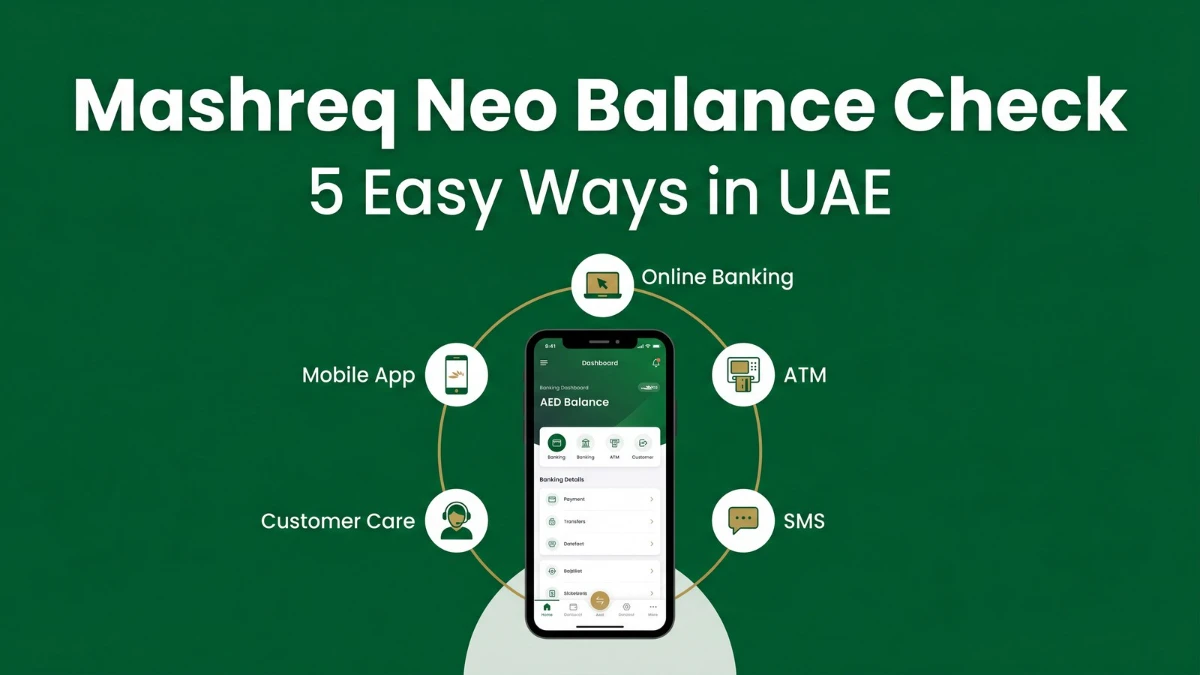
To check your Mashreq Neo account balance, open the Mashreq Neo mobile app and tap Quick Balance on the home screen. You can also log in to Mashreq Online Banking, use any Mashreq ATM, send an SMS from your registered number, or call Mashreq customer care at +971 4 424 4444.
What Is Mashreq Neo and Who Uses It
Mashreq Neo is the fully digital banking proposition from Mashreq, one of the oldest privately owned banks in the UAE. It is designed for residents who want a paperless, branch-free experience — open the account from your phone, get a debit card delivered, and manage everything in-app.
Most users are salaried professionals, freelancers, students above the eligible age, and small-business owners who prefer instant transfers, low minimum balance options and 24/7 self-service over traditional branch visits. If you've recently opened a Mashreq Neo savings account, the balance-check options below will apply to you the same way.
Official Ways to Check Your Mashreq Neo Balance
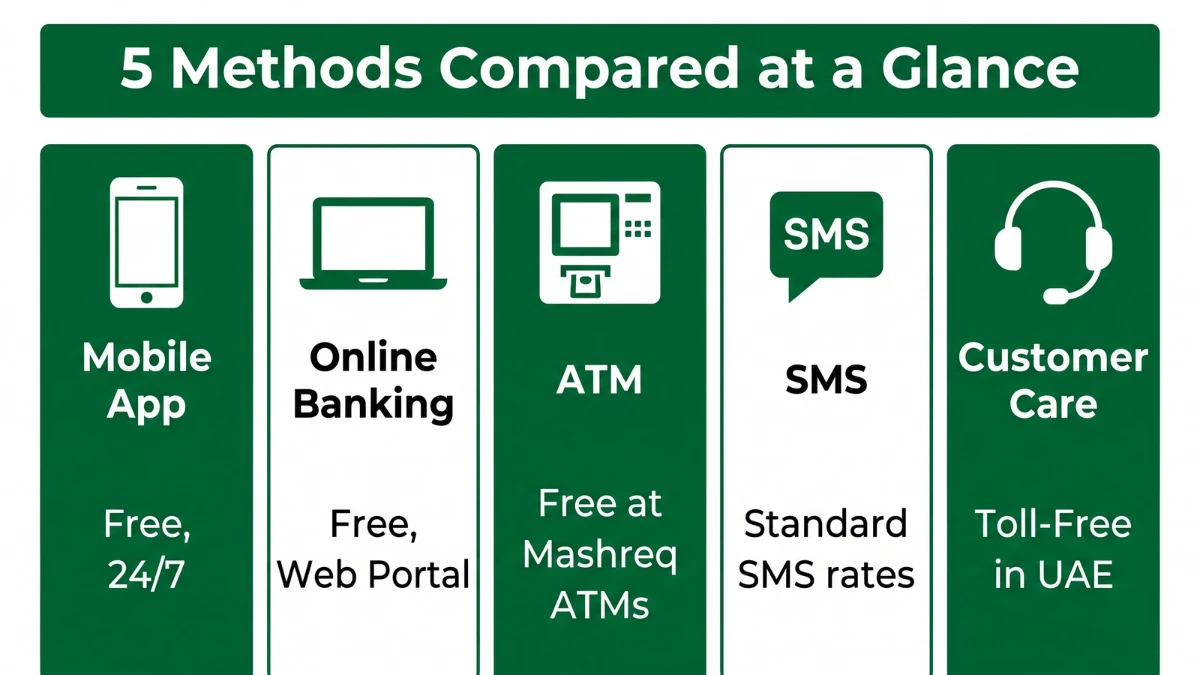
You have five official methods — each works in slightly different situations. The good news? Most of them are free.
| Method | Internet Needed? | What You'll Need | Typical Speed |
|---|---|---|---|
| Mashreq Neo Mobile App | Yes | Smartphone, app login | Instant |
| Mashreq Online Banking | Yes | Username + password | Instant |
| ATM (Balance Inquiry) | No | Debit card + PIN | About 1 minute |
| SMS Banking | No | Registered UAE mobile number | 1–2 minutes |
| Customer Care Call | No | Account details for verification | 5–10 minutes |
Check Your Balance via the Mashreq Neo Mobile App
The mobile app is the fastest, free, and most popular way to check your Mashreq Neo balance. It works 24/7 and shows your balance the moment you log in.
Step-by-Step
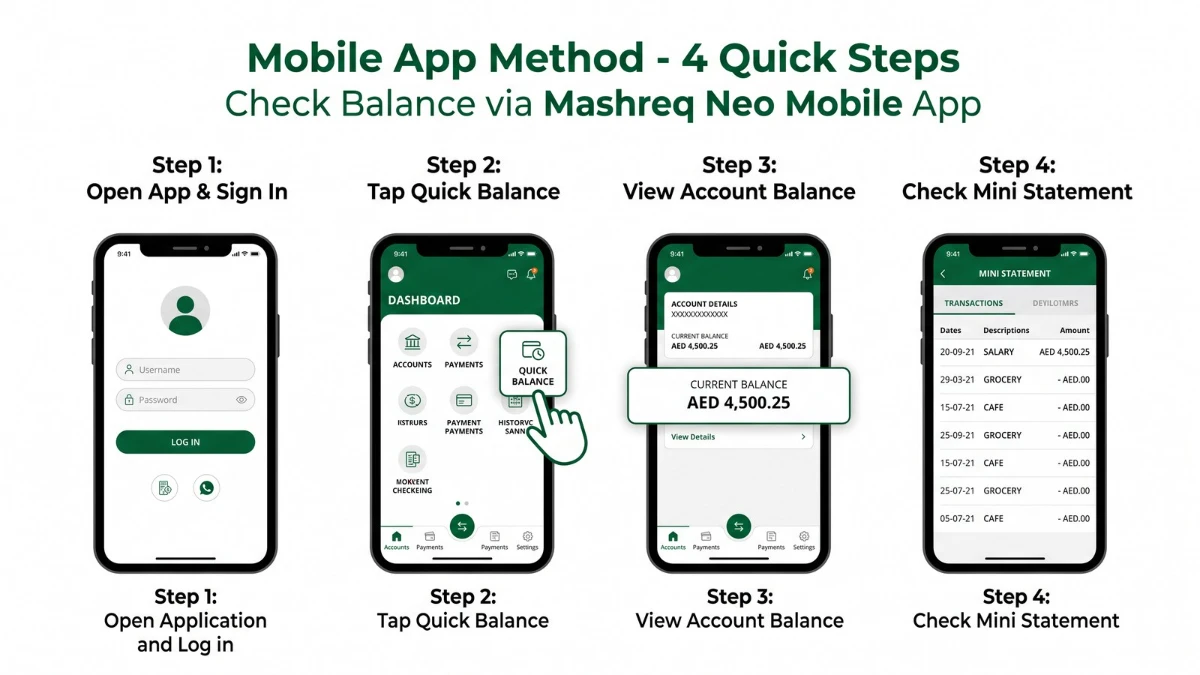
- Download the app — Search "Mashreq Neo" on Google Play or the App Store and install the official version published by Mashreq.
- Sign in — Use your User ID and password. First-time users register with their 16-digit debit card number, CVV and date of birth, then verify via OTP.
- Tap Quick Balance — On the home dashboard, the available balance for your primary account appears immediately.
- Open Account Summary — For multiple accounts, tap an account tile to see the available balance, ledger balance and recent transactions.
Pro Tip: Enable biometric login (Face ID or fingerprint) so you can check the balance in seconds — without typing a password every time.
Check Your Balance Through Mashreq Online Banking
If you're at a desk, online banking is the easiest. Open Mashreq's official online banking portal, sign in with your username and password, and your balance will appear right on the dashboard under My Accounts.
- Open a browser and go to the official Mashreq online banking portal.
- Enter your username and password and complete OTP verification if prompted.
- On the dashboard, look at the Accounts tile — your available balance is displayed next to the account name.
- Click the account to view the ledger balance, hold amounts, and a downloadable statement.
- Always click Logout when finished, especially on a shared device.
Important: Always type the URL yourself. Phishing pages cloned from real banking sites are a common scam in the UAE — never click banking links from unknown emails or SMS.
Check Balance at a Mashreq ATM
No phone? No internet? An ATM still works. Bottom line: if you have your Mashreq Neo debit card and PIN, you can check your balance in about a minute.
- Insert your Mashreq Neo debit card into any Mashreq ATM in the UAE.
- Enter your 4-digit ATM PIN.
- Select Balance Inquiry from the menu.
- Choose whether you want a printed receipt or an on-screen display.
- Take your card and receipt before leaving the machine.
Using a non-Mashreq ATM (for example, another UAE bank's machine) usually works too, but a small switch fee may apply depending on your account variant. Check your account schedule of charges before relying on this method regularly.
Check Balance via SMS Banking
SMS banking is a simple fallback when you have no data connection. As long as your UAE mobile number is registered with Mashreq, you can request your balance with a short text.
- Open the messaging app on your registered mobile number.
- Type the keyword the bank has assigned for balance enquiry (typically BAL).
- Send the SMS to Mashreq's official short code as listed inside your Neo app or on the official Mashreq SMS banking page.
- You'll receive a reply showing your current available balance.
Note: Standard SMS rates from your telecom operator (Etisalat / du) may apply. The exact short code is shown inside the Mashreq Neo app under Help → SMS Banking; always use the one displayed there to avoid sending to a fake number.
Check Balance Through Mashreq Customer Care
If digital methods aren't working — say your app is locked or your card is blocked — calling customer care is the safe backup.
- Dial Mashreq's official UAE contact number: +971 4 424 4444.
- Follow the IVR menu and choose the option for Account Balance Enquiry.
- Verify your identity using your registered details (date of birth, account number, debit-card details, or security questions).
- Once verified, request your balance — the agent or IVR will read it out and can also email or SMS the latest mini-statement.
Customers who use Mashreq's lending products like the Mashreq Neo credit loan can use the same helpline for balance, repayment and statement queries.
How to Get a Mini Statement and Detailed Statement
Just knowing the balance isn't always enough — sometimes you need the recent transactions to understand why the balance looks the way it does.
| Statement Type | Where to Get It | What You See |
|---|---|---|
| Mini statement | Mashreq Neo app, ATM, SMS | Last few transactions + available balance |
| Detailed e-statement | Online banking / Neo app (PDF download) | Full monthly transaction history |
| Stamped statement | Request via app / customer care | Bank-stamped statement for visa, embassy, loan |
For a detailed statement, the in-app Statements section is the easiest route — pick the date range, generate the PDF and share it directly to email.
Common Errors and How to Fix Them
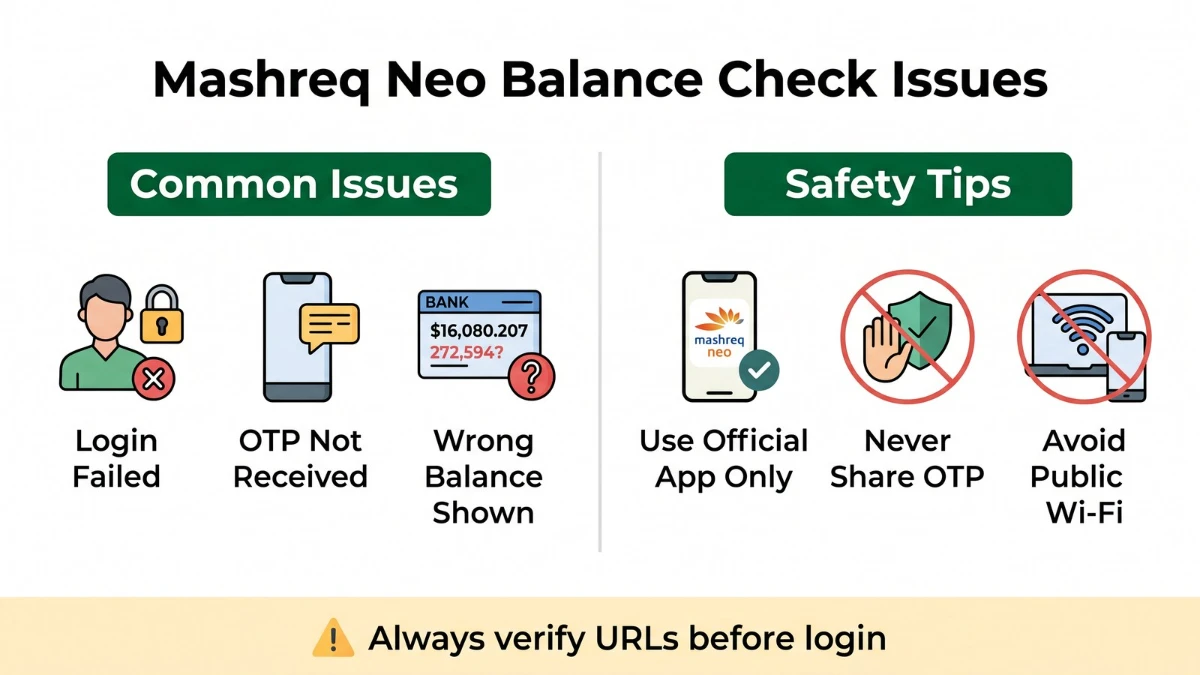
| Issue | Likely Cause | What to Do |
|---|---|---|
| Login failed in app | Wrong User ID or password, or device change | Use Forgot Password, then re-register the device with OTP |
| OTP not received | Number not updated, weak signal, DND | Restart phone, check signal; if still failing, call customer care to update mobile number |
| App shows "Service unavailable" | Scheduled maintenance or app outage | Try again in 15–30 minutes or check Mashreq's official status notice |
| ATM says "Card blocked" | Wrong PIN entered multiple times, or risk hold | Contact Mashreq customer care to unblock; do not retry repeatedly |
| Balance looks lower than expected | Pending hold (POS, recurring debit, salary not yet credited) | Open recent transactions in app; if mismatch persists, contact support |
Fees and Free Methods
Most balance-check methods are free, but a few situations can cost a small fee.
- Mashreq Neo app & online banking: Free, unlimited.
- SMS banking: The bank doesn't usually charge, but standard SMS rates from your telecom operator may apply.
- Mashreq ATM balance inquiry: Free.
- Other UAE bank ATM: May incur a switch fee per transaction — varies by account.
- International ATMs: Foreign-currency conversion and ATM-acquirer fees may apply.
Always check the latest schedule of charges in the app before relying on a method outside Mashreq's own ATM network.
Stay Safe: How to Avoid Fake Mashreq Balance-Check Sites
Phishing remains the single biggest threat to UAE digital-banking users. Here's how to keep your money safe:
- Use only the official Mashreq Neo app downloaded from the Apple App Store or Google Play.
- Never enter banking credentials on a site reached through email, SMS or a Google Ads link — type the official URL yourself.
- Never share your OTP, PIN, CVV or full card number with anyone — Mashreq staff will never ask for them.
- Avoid checking your balance over public Wi-Fi at malls, airports or cafés. Use mobile data or a trusted private network.
- Enable in-app transaction alerts so any debit you didn't authorize triggers an instant notification.
Frequently Asked Questions
How can I check my Mashreq Neo account balance for free?
The cheapest and fastest way is the Mashreq Neo mobile app or online banking — both are free and show your live balance instantly. Mashreq ATMs also offer free balance enquiry. SMS banking may incur a standard telecom charge.
Can I check my Mashreq Neo balance without an internet connection?
Yes. You can use SMS banking from your registered UAE mobile number, visit any Mashreq ATM with your debit card, or call customer care. None of these require mobile data, making them useful when you're travelling or have a weak connection.
What do I do if my Mashreq Neo app keeps showing an OTP error?
First, make sure your registered mobile number is active and has signal. Restart the phone, disable DND, and request the OTP again after one minute. If it still doesn't arrive, call Mashreq customer care to confirm or update your registered number.
Why does my Mashreq Neo balance look lower than expected?
The most common reason is a pending hold — for example a hotel pre-authorization, a recurring subscription, or a card swipe that hasn't settled yet. Check your recent transactions in the app. If you still see a mismatch after 24–48 hours, raise a query through customer care.
Is it safe to check my Mashreq Neo balance over public Wi-Fi?
It's not recommended. Public Wi-Fi networks can be insecure and expose your login data to attackers. Use mobile data or a trusted private network. If you must use public Wi-Fi, connect through a reliable VPN and log out as soon as you're done.
Can I get a stamped Mashreq Neo statement for visa or loan purposes?
Yes. Request a stamped statement through the Mashreq Neo app's service request section or by calling customer care. The bank typically prepares it within a few working days, and you can collect a hard copy or receive a digitally certified PDF based on availability.
What should I do if my Mashreq Neo card is blocked while checking the balance?
Stop trying to use the card immediately. Call Mashreq customer care, verify your identity, and ask the agent to either unblock the card or issue a replacement if it has been compromised. You can still use the app and online banking to view your balance in the meantime.
Final Thoughts
Checking your Mashreq Neo balance shouldn't feel complicated. For day-to-day use, the Neo app is unbeatable — fast, free and right in your pocket. Online banking is great when you're at a desk, an ATM works when you only have your card, and customer care is your safety net when nothing else does.
The real win is building a simple habit: enable biometric login, switch on transaction alerts, and check your balance once a day. That single change keeps surprises out and helps you spot fraud the moment it happens. If you ever feel something is off — a missing credit, an unexpected debit, a strange OTP — call Mashreq customer care first and act fast.
Sources
- Mashreq Bank — Official UAE website: https://www.mashreqbank.com/
- Mashreq Neo — Official digital banking page: https://www.mashreqbank.com/uae/en/personal/neo
- Mashreq Online Banking portal: https://digital.mashreqbank.com/onlinebanking/
- Mashreq Neo on Google Play (publisher: Mashreq): https://play.google.com/store/apps/details?id=ae.mashreq.mashreqneo
- Mashreq Neo on Apple App Store (publisher: Mashreq): https://apps.apple.com/ae/app/mashreq-neo/id1257992355
- Central Bank of the UAE — consumer protection guidance: https://www.centralbank.ae/
Last verified: May 2026. Bank fees, helpline numbers and SMS short codes can change — always confirm with the latest information in your Mashreq Neo app or on Mashreq's official website before relying on them.
