
Don't have an Absher account yet — but still need to confirm your Iqama status with just a passport number? You're not alone. Thousands of new arrivals, family members and job-joiners face this exact wall every single day in Saudi Arabia.
Here's the good news: the Saudi government actually lets you do it for free, without logging in, through its official public-inquiry services. No app install. No password. No sponsor required.
In this guide, you'll discover:
- Why a passport number is enough in many official services
- The exact step-by-step method on the MOI eServices portal
- How to cross-verify on the Muqeem visa-validity portal
- What to do when the system shows "no data found"
- Real fees, helpline numbers and safety rules from official Saudi sources
Let's dive in.
What "Iqama Status Check Without Absher" Really Means
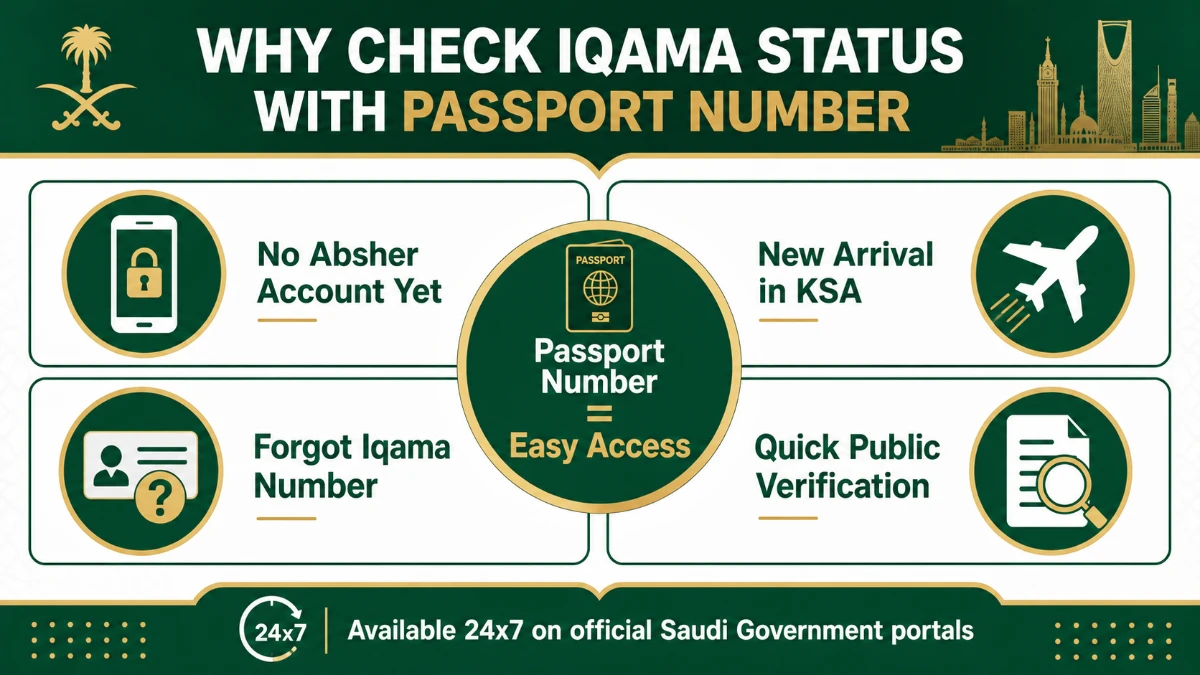
Your Iqama (residence permit) is the legal proof that you live in the Kingdom of Saudi Arabia. It is issued by the Ministry of Interior (MOI) through the Jawazat (Directorate General of Passports) and must be renewed before expiry.
Most residents check it through Absher — the MOI's flagship app. But Absher requires registration with an Iqama number plus a registered Saudi mobile.
What if you don't have that yet? The MOI runs a public inquiry channel that accepts your passport number alone and returns the residency-card validity status. That's the service this guide is built around.
Who typically needs this method
- Newly arrived workers who have completed medical and Wasel but haven't received Iqama physically.
- Family members on dependent visa whose head-of-family hasn't yet linked them to Absher.
- Expats abroad on exit/re-entry checking before flying back.
- Sponsors and HR officers doing a quick public verification of staff residency.
Quick Facts: Iqama Check Using Passport Number
| Item | Detail |
|---|---|
| Issuing authority | Ministry of Interior (MOI) — Jawazat |
| Official portals | moi.gov.sa, absher.sa (public query), muqeem.sa |
| Login required | No (public inquiry services) |
| Fee for status check | SAR 0 (free) |
| Inputs accepted | Passport number, nationality, date of birth, captcha |
| Information returned | Iqama validity status & expiry date |
| Languages | Arabic & English |
| Availability | 24×7 online |
Method 1: Check Iqama on MOI eServices (Public Inquiry)
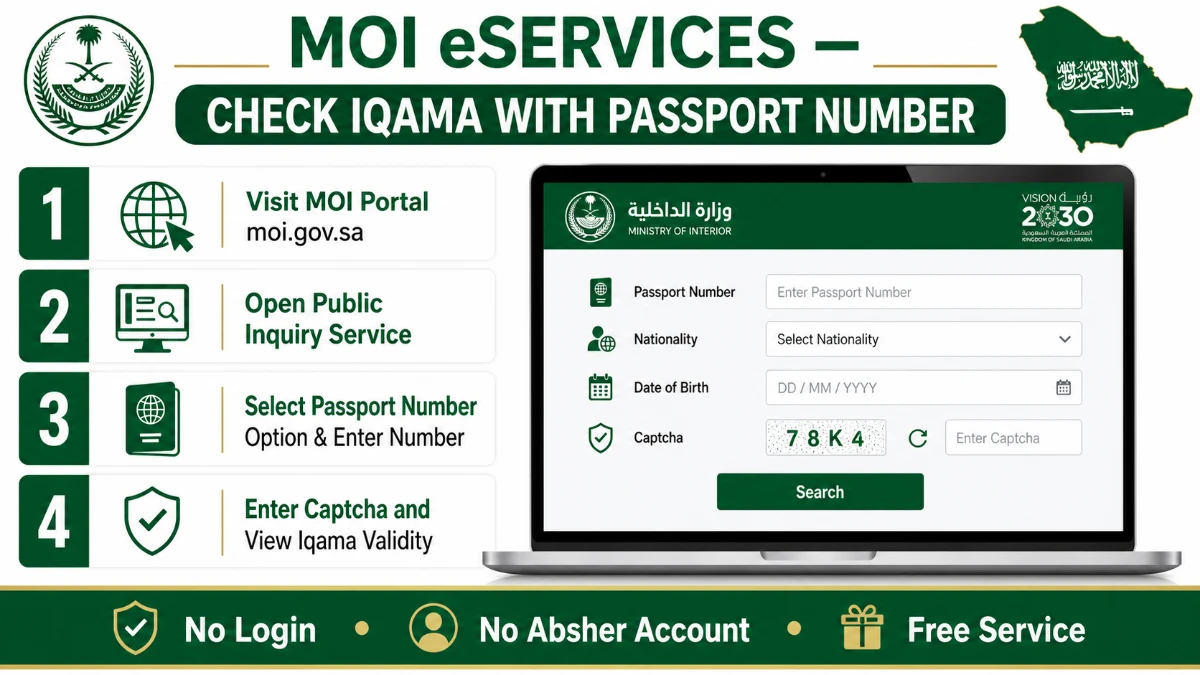
The Ministry of Interior runs a unified eServices gateway where many checks can be done without logging in. This is the most reliable route when you only hold a passport number.
Step-by-step on the MOI portal
| Step | Action | What you need | Approx. time |
|---|---|---|---|
| 1 | Open the official MOI portal at moi.gov.sa | Internet browser | 10 seconds |
| 2 | Switch language to English from the top-right toggle | — | 5 seconds |
| 3 | Open eServices → Public Query (or Inquiries) | — | 15 seconds |
| 4 | Select "Resident Identity Validity" service | — | 10 seconds |
| 5 | Choose Passport Number as the search type | Passport number | 5 seconds |
| 6 | Enter passport number, nationality and date of birth | Passport, DOB | 30 seconds |
| 7 | Type the visual captcha code & click Search | — | 10 seconds |
| 8 | Read the Iqama validity status & expiry date | — | — |
What the result actually tells you
The result page will display two key things: the Iqama validity status (Valid / Expired) and the expiry date in both Hijri and Gregorian formats.
For deeper details — like Huroob status, work-permit linkage or family dependents — you will eventually need a full Absher login. Public inquiry is read-only.
Method 2: Cross-Check on the Muqeem Visa Validity Portal
The Muqeem portal (muqeem.sa) is operated by ELM, the official partner of the Saudi MOI. It is widely used by establishments and expats to confirm visa validity using passport number.
While its main dashboard is for companies, the visa-validity sub-portal (vv.muqeem.sa) lets anyone verify a visa or residence record publicly.
Steps on Muqeem visa-validity portal
- Open vv.muqeem.sa in your browser.
- Choose the verification type — visa or Iqama.
- Select "Passport Number" as the input method.
- Enter passport number, nationality, passport issue date and expiry date.
- Solve the captcha and submit.
- The result confirms whether the linked visa or Iqama record is valid in the Jawazat database.
MOI vs Muqeem vs Absher: Which One Should You Use?
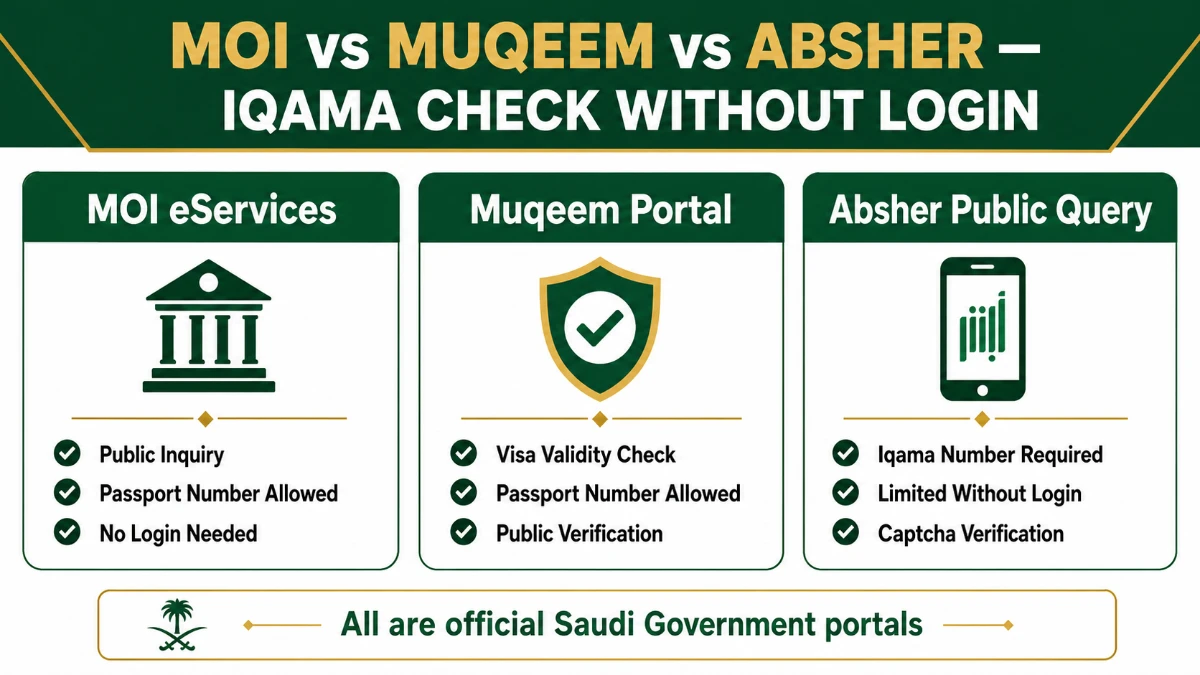
All three are official Saudi government channels, but they don't do the same job. Use this comparison to choose correctly.
| Feature | MOI eServices | Muqeem (vv.muqeem.sa) | Absher Public Query |
|---|---|---|---|
| Login required | No | No (public verify) | No, but limited |
| Passport number input | Yes | Yes | Limited |
| Iqama number input | Yes | Yes | Yes |
| Returns validity date | Yes | Yes | Yes |
| Returns Huroob / dependents | No | No | No (need full login) |
| Best for | Quick public Iqama check | Visa & Iqama cross-verify | Captcha-only Iqama lookup |
| Languages | Arabic & English | Arabic & English | Arabic & English |
Need a basic, no-frills Iqama validity check? Start with MOI. Need to cross-verify a visa or sponsor link? Use Muqeem. Already have an Iqama number and just want a quick lookup? The Absher public query works too.
For a more in-depth walkthrough of resident services in the Kingdom, you can also read our internal guide on Saudi Arabia Iqama renewal step-by-step.
Common Errors & How to Fix Them
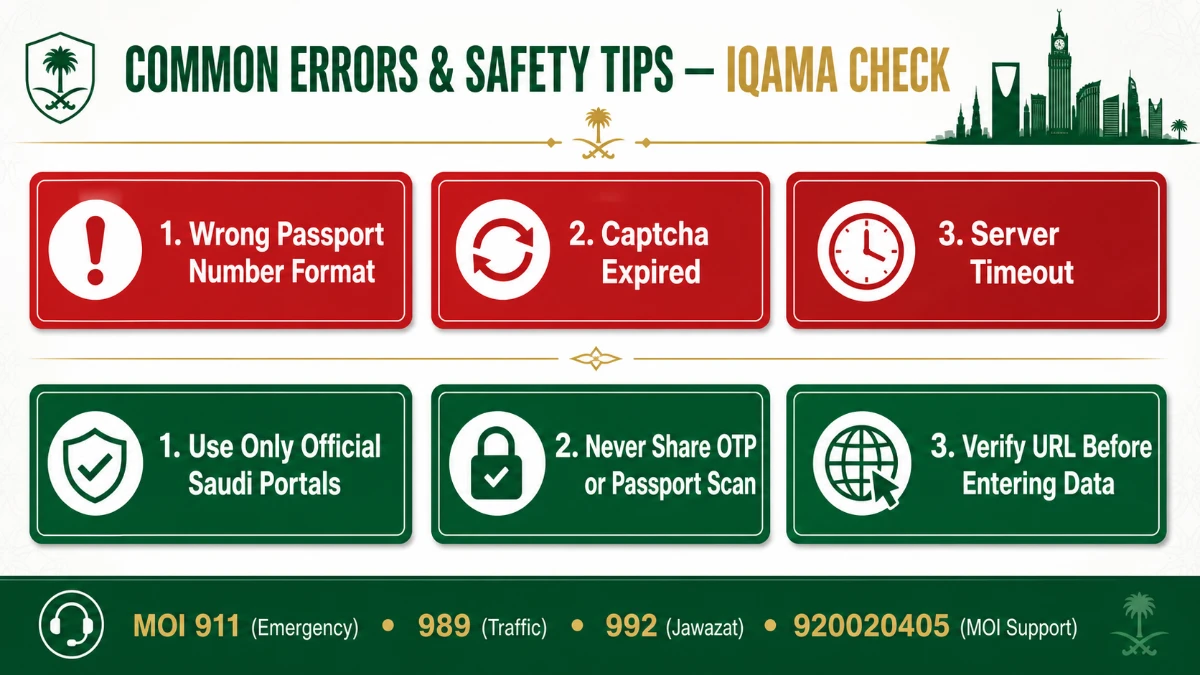
If the portal returns nothing, don't panic. Most issues are easy to fix in seconds.
Top errors and quick fixes
- "No record found" — Recheck passport number for typos and ensure nationality matches the registered file.
- "Captcha invalid" — Refresh the page and re-enter; the captcha image expires quickly.
- "Service temporarily unavailable" — Try after 15 minutes; MOI runs short maintenance windows late night Saudi time.
- Date format error — Saudi portals accept Gregorian; switch from Hijri toggle if it auto-selected.
- Wrong language — Click the language toggle on the top corner to switch to English.
When the result still doesn't show — what next
If both MOI and Muqeem return blanks, the most likely causes are:
- The Iqama is not yet printed — only the visa is active.
- The medical or Wasel step is incomplete on the sponsor side.
- The passport details on file differ from your current passport (e.g., after renewal).
The fix? Ask your sponsor or HR to verify your record on Qiwa or Absher Business — those backend systems show why the public lookup is empty.
Helpline Numbers and Official Contacts
If your Iqama lookup fails repeatedly, contact the right authority directly. Saudi Arabia provides clear, free helplines for residency questions.
| Service | Number | What it handles |
|---|---|---|
| Jawazat (Passports General Directorate) | 992 | Expired visa & residency inquiries |
| MOI Customer Care | 920020405 | Iqama, Absher and eServices help |
| MOI General Switchboard | 0114011111 | Ministry-wide queries |
| Emergency (Police) | 911 | Riyadh, Makkah, Eastern Region — security only |
| Security Information / Reports | 991 | Crime & safety reports |
Frequently Asked Questions
Can I really check my Iqama status with only a passport number?
Yes. The official MOI eServices public-inquiry portal and Muqeem visa-validity portal both accept passport number as the input. You also need to provide nationality and date of birth, plus solve a captcha. No Absher login is required for this basic validity check.
Is the public Iqama check service really free?
Yes — checking Iqama validity online through the MOI, Absher public query and Muqeem portals is completely free. There is no government fee for status verification. Fees only apply to actions like Iqama renewal, dependent fees and exit/re-entry visas, which require sponsor login.
Why does the system say "no record found" with my passport number?
Three common reasons: (1) the Iqama has not yet been issued by Jawazat even though the visa is active, (2) your passport details on file are outdated after a passport renewal, or (3) you typed the passport number incorrectly. Recheck inputs first; if it still fails, ask your sponsor to verify on Qiwa.
Can I see Huroob (absconding) status without an Absher account?
No. The public inquiry only returns Iqama validity and expiry. To see Huroob, work-permit linkage or family dependents, you must log in with an Absher Individual or Absher Business account. Public services are intentionally limited to read-only validity for privacy and security reasons.
What is the difference between Absher and Muqeem?
Absher is the MOI's all-in-one platform for citizens and residents — covering Iqama, traffic, passports and more. Muqeem is the establishment-side portal operated by ELM, focused on residency and visa transactions for companies. Both are official; Muqeem's visa-validity sub-portal is open to the public.
How often should I check my Iqama validity?
The MOI advises that residence permits should be renewed at least three days before expiry to avoid fines. Many expats check monthly, especially as the renewal date approaches. First-time violators pay a fine equal to the renewal charge; the fine doubles for repeat violations.
Can I check my Iqama from outside Saudi Arabia?
Yes. The MOI eServices and Muqeem portals work from anywhere in the world. You only need a stable internet connection and your passport number. This is especially useful for expats on annual leave who want to confirm their re-entry validity before flying back.
Is it safe to enter my passport number on these portals?
Yes — provided you use only the official URLs ending in moi.gov.sa, absher.sa or muqeem.sa. Never click on Iqama-check links from unknown SMS or social media. The Saudi government does not request OTPs, passport scans or payments through public inquiry pages.
Conclusion: Your Next Step
Checking your Iqama status with passport number — without an Absher account is genuinely simple once you know the path. The three official routes (MOI eServices, Muqeem, Absher public query) cover almost every real-world scenario.
The three biggest takeaways: (1) the service is free and 100% online, (2) you only need passport number plus DOB plus captcha, and (3) cross-checking on Muqeem gives you confidence that the result is accurate.
Ready to verify yours? Open the MOI eServices public inquiry right now, type your passport number, and confirm your residency status in under a minute. If you'd like a deeper walkthrough on residency renewal next, see our companion piece on Iqama renewal fees in Saudi Arabia.
Have you tried checking your Iqama with just a passport number — did the system find your record on the first try? Drop your experience in the comments.
Sources
- Ministry of Interior (MOI) — Iqama Residence Permit page — https://www.moi.gov.sa
- Absher Public Query: Resident ID Expiry — https://www.absher.sa
- Muqeem Portal — https://muqeem.sa
- Muqeem Visa Validity Portal — https://vv.muqeem.sa
- Saudi National Platform — Exit/Re-Entry Visa Status — https://my.gov.sa
- MOI Contact Us — https://www.moi.gov.sa/wps/vanityurl/en/contact-us-content
All information verified from official Saudi government sources on 07 May 2026.
