
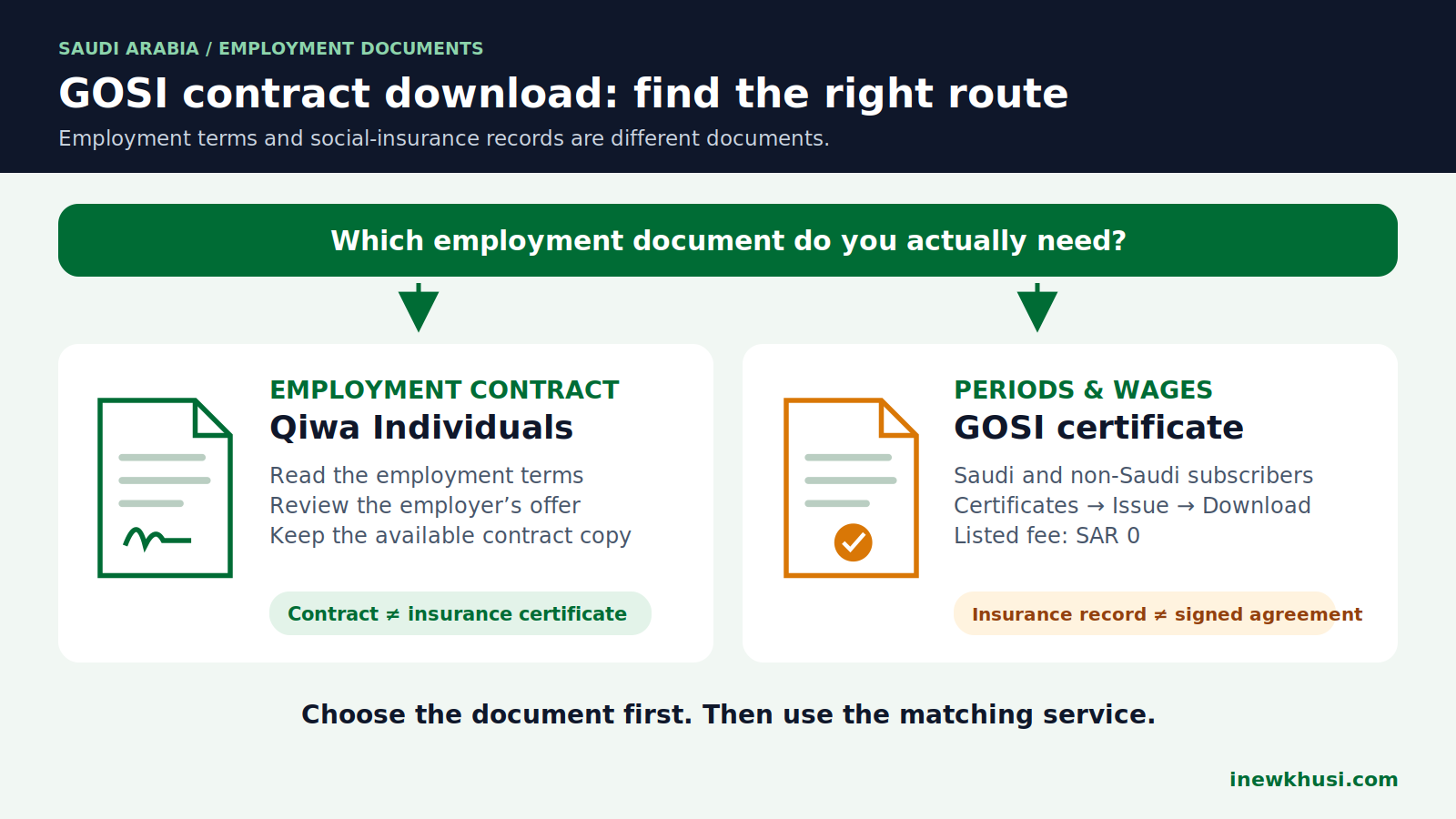
Searching for a GOSI employment contract download can leave you with the wrong document. You need your agreement, but the service you find may produce an insurance certificate instead.
Here’s the deal: Qiwa handles employment-contract management; GOSI provides social-insurance records. This guide separates the published procedures, explains how to save the available record, and flags what the official instructions do not confirm.
In this guide, you’ll discover:
- Which document matches your request.
- How to review a Qiwa job offer.
- How to download a GOSI wage certificate.
- What to do when a record is missing.
Let’s dive in.
| Quick fact | What to know |
|---|---|
| Competent authorities | HRSD / Qiwa: contracts; GOSI: insurance certificates. |
| Official portal / app | Qiwa Individuals; GOSI website and GOSI mobile app for certificates. |
| Target audience | Employees reviewing Qiwa offers; Saudi and non-Saudi GOSI subscribers for periods-and-wages certificates. |
| Service fee | GOSI wage certificate: SAR 0. GOV.SA lists Contract Management as free; no separate Qiwa download tariff was verified. |
| Processing time | GOSI certificate: listed as immediate. Contract availability depends on the actual account record. |
| ID / documents | Your own account; National ID or Iqama (Saudi residence permit) where requested. No extra upload checklist was verified for viewing. |
| Official support | GOV.SA lists GOSI: 199044; HRSD: 19911. GOSI’s legacy service page also displays 8001243344. |
Source basis: GOV.SA service listings 19451 and 20276; GOSI service entry; URLs are in the references below.
Can you download a GOSI employment contract?
For an employment agreement, use Qiwa’s contract service, not the GOSI wage-certificate route. The official sources reviewed document Qiwa offer viewing and GOSI certificate downloading. They do not establish a current, universal GOSI employment-contract download menu. First confirm whether the requester needs contractual terms or an insurance record.
The distinction matters: an insurance certificate is not the agreement itself. A similar employer name or wage figure does not make the documents interchangeable.
| Document | Published purpose | Route |
|---|---|---|
| Employment contract | Review the employer’s offer and respond. | Qiwa Individuals |
| Periods-and-wages certificate | Show insurance periods and wages for Saudi and non-Saudi subscribers. | GOSI |
| Current-wage certificate | Show the salary of a Saudi contributor subject to subscription. | GOSI |
Source basis: HRSD expatriate guide; GOV.SA listings 20276 and 20435; URLs are in the references below.
Who can use the services—and what should you prepare?
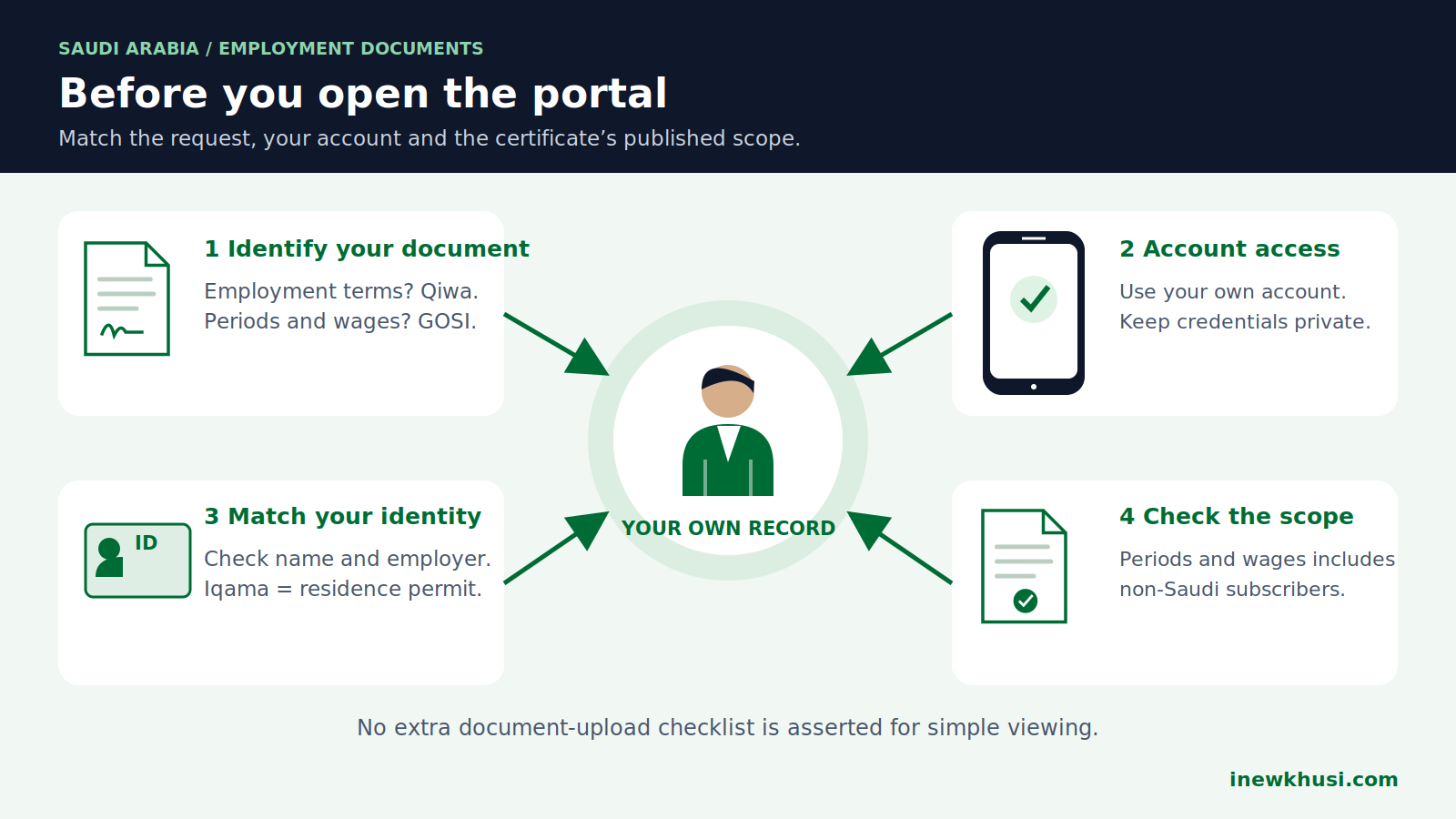
The periods-and-wages listing expressly includes Saudi and non-Saudi subscribers. The current-wage listing instead describes a Saudi contributor; do not extend that description to every expatriate.
For Qiwa’s documented review route, use your Qiwa Individuals account. An employer’s business-account workflow is not the employee’s workflow.
- Have your own login details ready.
- Check your name, employer and the record you need.
- Keep your National ID or Iqama available if requested.
- Do not assume a passport scan, attestation or payment is required just to view a record.
For identity-related preparation, see the site’s Iqama validity and expiry guide. That is a separate task, not a verified prerequisite for this download.
GOSI employment contract download: the Qiwa route
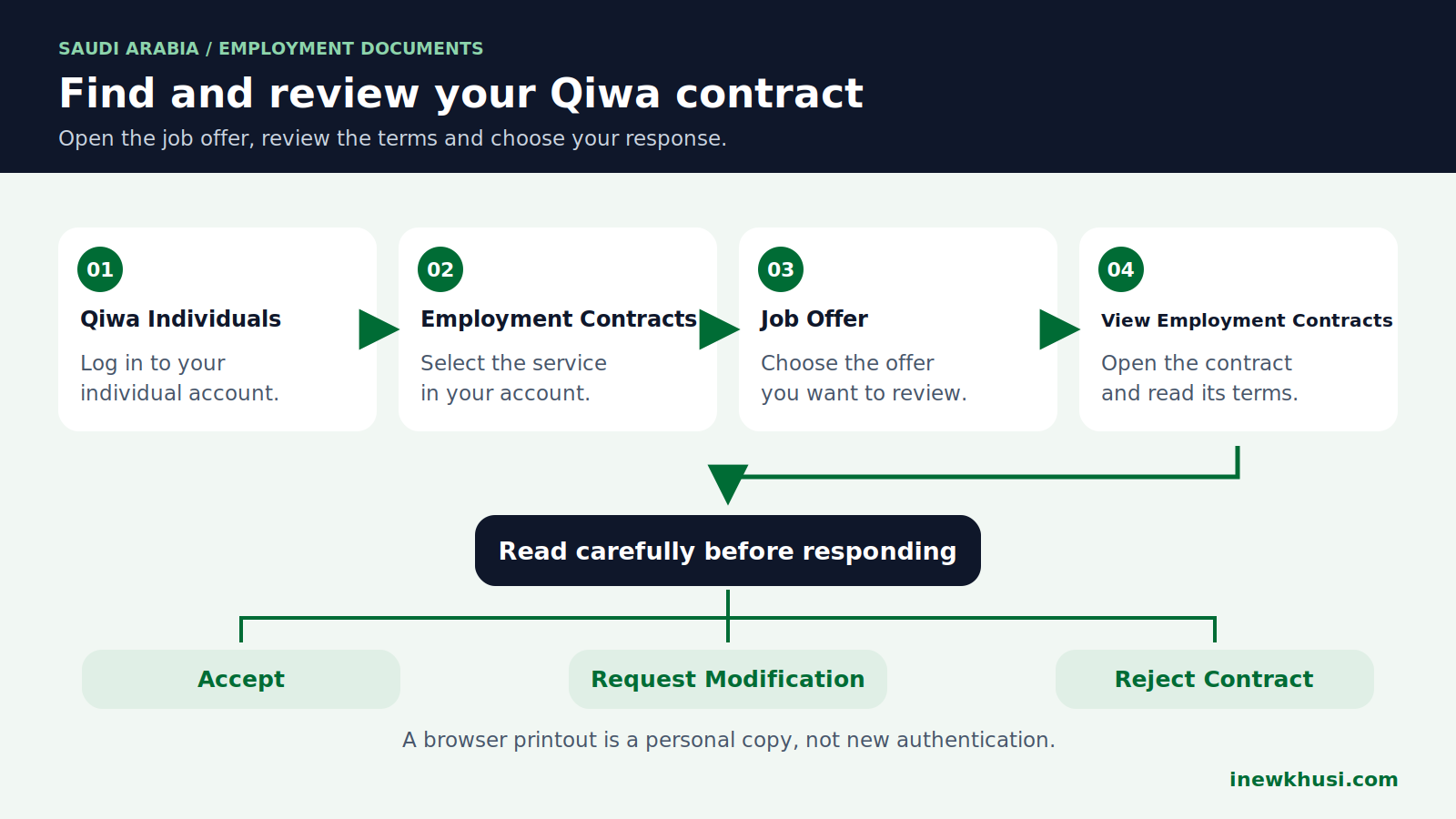
Use the official Qiwa entry listed in the references. HRSD’s 2024 expatriate guide, pages 22–23, supplies the following employee-side labels; these are not a claim that every current screen is identical.
- Step 1: Log in to Qiwa Individuals.
Use your individual account, not an employer’s business account.
- Step 2: Select “Employment Contracts.”
Open the employee contract service.
- Step 3: Choose “Job Offer.”
Select the relevant offer described in the guide.
- Step 4: Select “View Employment Contracts.”
Read the displayed agreement before taking any action.
- Step 5: Review the response options.
The guide lists “Accept,” “Request Modification,” and “Reject Contract.” Viewing alone does not require you to accept an inaccurate offer.
To keep a copy: use a download or print control if your current account provides one. No current universal “Download PDF” button was verified; browser Print → Save as PDF is only a personal-copy workaround when the page supports printing.
If export is unavailable, request the documented copy from your employer or contact HRSD. A browser printout does not create new authentication.
How do you download a GOSI wage certificate?
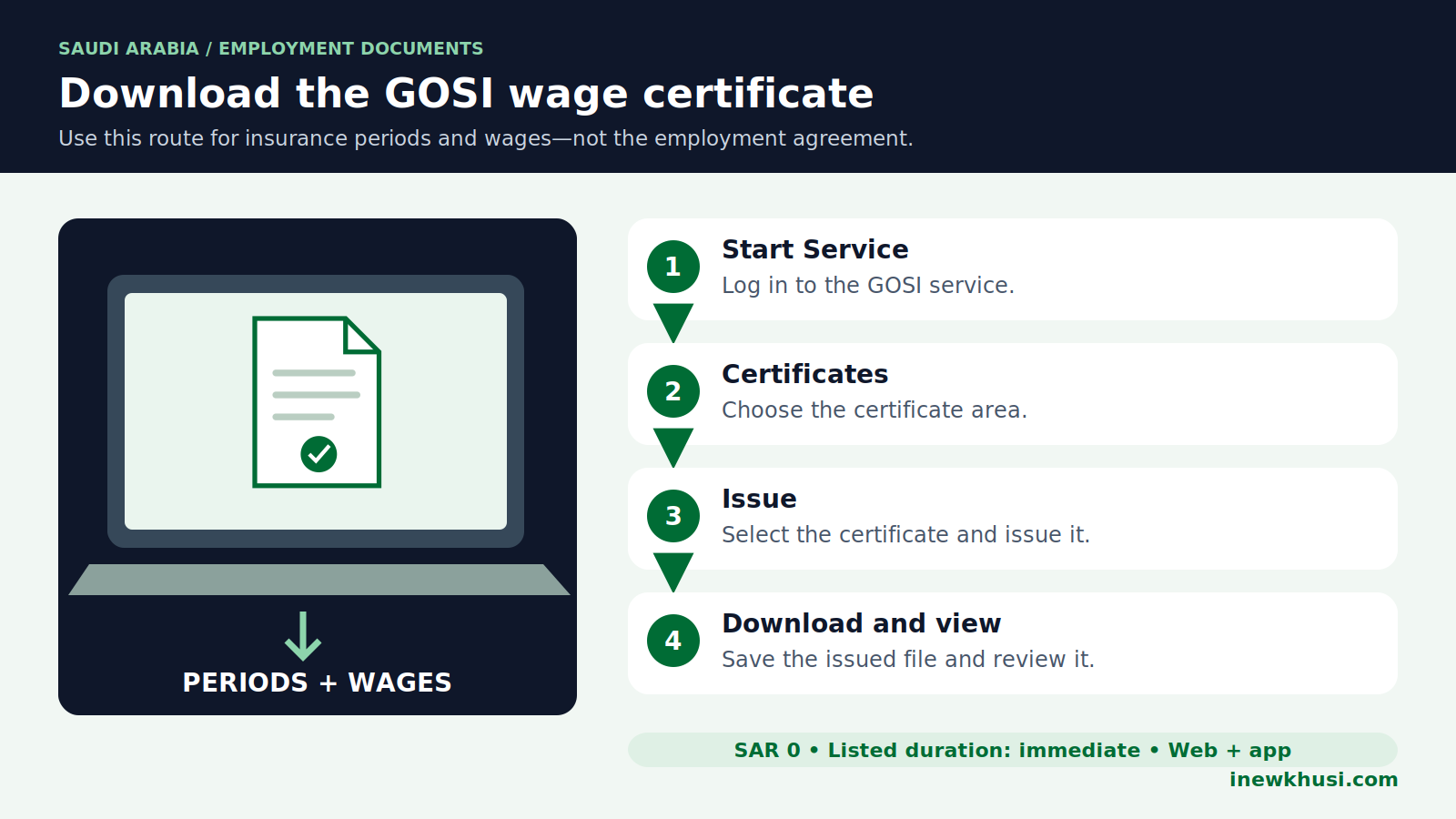
Use the GOSI periods-and-wages certificate service when you need an insurance record. The official sequence is: select Start Service and log in, choose Certificates, select the certificate and Issue, then download and view it. GOV.SA lists this service as free and immediately delivered, including Saudi and non-Saudi subscribers.
- Step 1: Choose “Start Service” and log in.
Begin from the official wage-certificate listing in the references.
- Step 2: Choose “Certificates.”
Find the certificate area in your own account.
- Step 3: Select the certificate and “Issue.”
Choose the periods-and-wages certificate if that is the requested record.
- Step 4: Download and view the certificate.
Open the saved file and check the details before sharing it.
For more certificate-specific guidance, see our GOSI salary certificate download guide. Keep the issued document unchanged.
Fees, timing and certificate verification
| Service | Published cost | Published timing |
|---|---|---|
| GOSI periods-and-wages certificate | SAR 0 / free | Immediate |
| GOSI current-wage certificate | SAR 0 / free | Immediate |
| GOSI e-certificate verification | SAR 0 / free | Immediate |
| HRSD Contract Management listing | Free; no separate download tariff verified | Immediate service listing; not a promise of employer action |
Source basis: GOV.SA listings 20276, 20435, 23372 and 19451; URLs are in the references below.
No certificate-validity period or download penalty is asserted here; the reviewed service descriptions do not supply those figures. The receiving organization may have its own document-recency requirement.
For GOSI verification, the published path is Services → Quick Verification Services → e-certificate. Enter the required data and choose “Query”; follow the live form rather than an invented field checklist.
Missing records, wrong details and support
| Problem | Practical next step |
|---|---|
| No Qiwa offer appears | Ask the employer to check the employee record and contract submission; contact HRSD if unresolved. |
| Contract terms are wrong | For a pending offer, use Request Modification rather than accepting incorrect terms. |
| GOSI certificate is unavailable | Confirm you selected the right service and account; request account-specific GOSI assistance. |
| A downloaded file will not open | Download again and try another PDF-capable viewer if the file is a PDF. |
| You need a contract before leaving employment | Keep the available agreement and insurance records separately. |
Source basis: HRSD guide and GOV.SA certificate services; file-handling suggestions are practical advice; URLs are in the references below.
Planning your departure? Our HRSD and final-exit guide covers that separate journey. Downloading a document does not complete an exit procedure.
Frequently Asked Questions (FAQs)
Is a GOSI salary certificate my employment contract?
No—the services describe different records. The GOSI periods-and-wages certificate records insurance periods and wages. Qiwa’s employee contract service lets you review the employer’s offer and respond. A recipient asking for contractual terms may not accept an insurance certificate instead, so confirm the required document before submitting it.
Can expatriates download the GOSI wage certificate?
The periods-and-wages service expressly includes non-Saudi subscribers. That does not mean every similarly named certificate has identical eligibility. The current-wage service describes a Saudi contributor. Choose the listing that matches your record and nationality scope; contact GOSI if your account does not display the expected certificate.
Where is the Qiwa Download PDF button?
A current universal button could not be verified. HRSD’s published guide documents the viewing and response sequence, not a guaranteed PDF-export control. Use an available download or print option in your account. A browser-generated PDF is only a personal copy, and you can request the documented agreement from your employer.
Do I need to pay to issue the GOSI certificate?
GOV.SA lists the wage-certificate service as free. It also lists immediate delivery and website, Android and iOS channels. Do not confuse this certificate service with other employment services or paid third-party assistance. No separate certificate download charge, payment code or late-download penalty was verified in the reviewed listings.
Can I correct a contract by editing the downloaded file?
Editing your copy does not correct the underlying record. For a pending offer, HRSD documents the Request Modification option. Its employer-side instructions describe changing the contract and resending it for approval. Keep the issued copy unchanged and raise the correction through the employer or the responsible platform.
Your final GOSI agreement download checklist
The safest GOSI employment contract download starts with identifying the document—not searching for a button that may belong to another service. Keep your agreement and insurance certificate as separate records, and check both before sharing them.
- Need contractual terms? Use Qiwa’s employee contract route and review the available offer.
- Need periods and wages? Issue the appropriate GOSI certificate.
- Need a correction? Contact the responsible platform or employer; do not edit the issued file.
For the next step, open the matching official service in the references below. The site’s GOSI information category offers related reading. Which document did your employer or receiving organization request? Share your experience in the comments.
Official Sources & References
- HRSD — Guide to Services Provided for Expatriates (2024), pp. 22–23 — https://www.hrsd.gov.sa/sites/default/files/2024-11/Guide%20to%20Services%20Provided%20for%20Expatriates.pdf
- GOV.SA / HRSD — Contract Management — https://my.gov.sa/en/services/19451
- GOV.SA / GOSI — Issue Wage e-certificate — https://my.gov.sa/en/services/20276
- GOV.SA / GOSI — Issue current wage E-certificate — https://my.gov.sa/en/services/20435
- GOV.SA / GOSI — Verify e-Certificate — https://my.gov.sa/en/services/23372
- GOSI — Wage-certificate service entry — https://www.gosi.gov.sa/IndividualsServices/ServiceDetails/issueCertificate
- GOSI — Subscriber-certificate service (Arabic) — https://beta.gosi.gov.sa/services/individuals-services/issueSubsribe
- Qiwa — Official platform entry — https://qiwa.sa/en
All information verified from official Saudi Arabia government and regulatory sources on November 6, 2026.
Verification scope: HRSD’s 2024 guide and GOV.SA service descriptions were read. Qiwa’s live pages rejected automated access; logged-in screens, native PDF export and individual account eligibility were not verified. The GOSI legacy page exposed only its JavaScript notice and contact number.
