
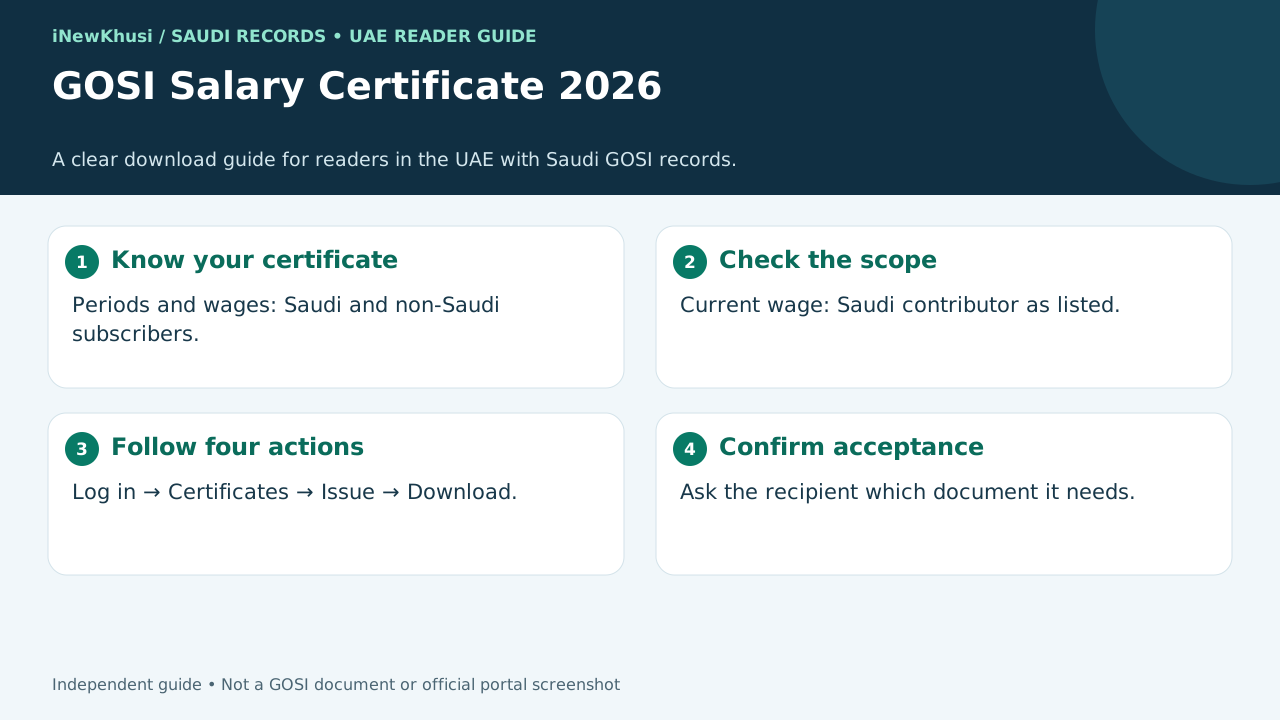
Need a GOSI salary certificate but unsure which document to download? Similar service names make a simple task confusing, especially when you are in the UAE and need a Saudi employment record.
This guide gives you the verified route without guessed fees, invented eligibility rules or unofficial shortcuts.
In this guide, you’ll discover:
- The difference between the two wage-certificate services.
- Who the official descriptions include.
- The published download steps, fees and channels.
- How verification works—and what UAE readers should check.
Let’s dive in.
Mobile and tablet tip: swipe wide tables sideways. The complete article and all visuals resize to your screen.
| Item | Verified detail |
|---|---|
| Issuing authority | General Organization for Social Insurance (GOSI), Saudi Arabia |
| Main service | Issue Wage e-certificate: periods and wages of Saudi and non-Saudi subscribers |
| Separate service | Issue current wage E-certificate: salary of the Saudi contributor subject to subscription |
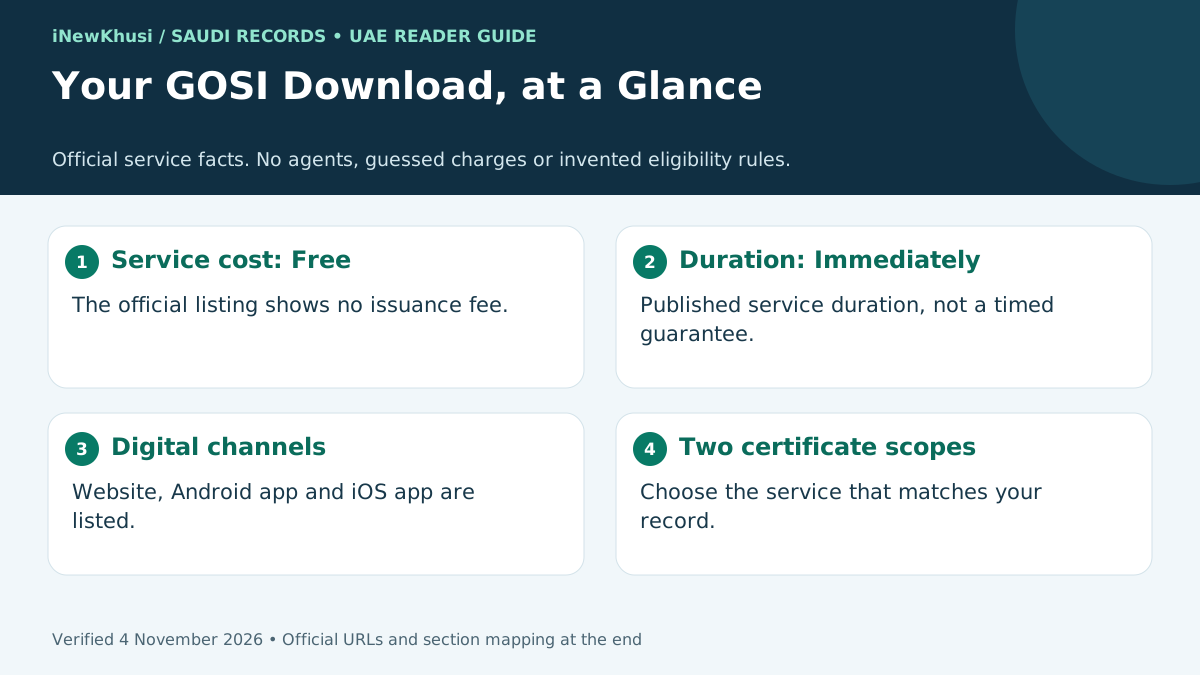
| Issuance cost | Free |
| Published service duration | Immediately |
| Listed issuance channels | Website portal, Android app and iOS app |
| Service languages | Arabic and English |
| Support listed | 199044; overseas reachability is not confirmed |
What Is a GOSI Salary Certificate?
A GOSI salary certificate is commonly used to describe a GOSI wage e-certificate. The official periods-and-wages service issues an electronic record of Saudi and non-Saudi subscribers’ contribution periods and wages. A separate current-wage service describes the salary of a Saudi contributor subject to subscription.
Here’s the deal: similar search terms can lead you to different certificates. The useful question is not just “How do I download it?” It is “Which record does the recipient actually need?”
For a UAE-based reader, the country distinction matters. This guide covers a Saudi GOSI record. It is not an application guide for a salary letter from a UAE employer, and it does not establish acceptance by a UAE bank or authority.
Start with the purpose. Ask the recipient whether it needs registered Saudi wages, contribution history or an employer-issued salary letter. Treat that as a document-selection check, not a statement that the documents are interchangeable.
GOSI Salary Certificate Types: Choose the Right Record
| Certificate | Officially described content | Nationality scope in the description |
|---|---|---|
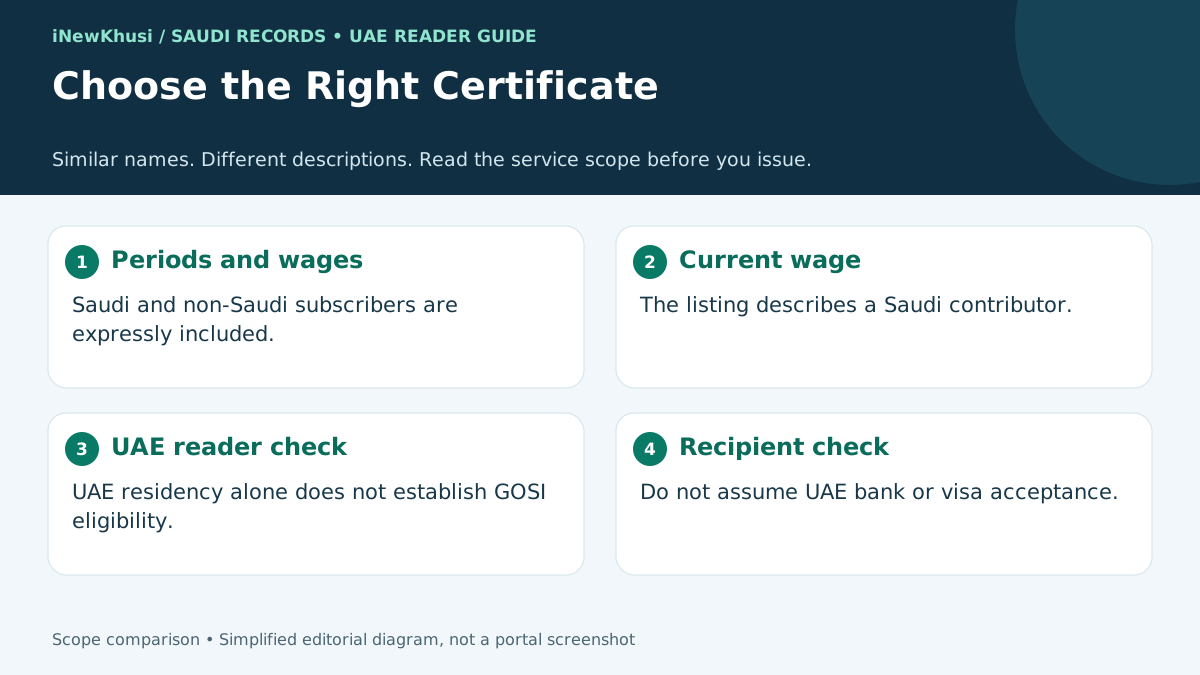
| Issue Wage e-certificate | Detailed electronic certificate showing periods and wages | Saudi and non-Saudi subscribers |
| Issue current wage E-certificate | Electronic certificate detailing salary subject to subscription | Saudi contributor |
Do not apply the broader service’s wording to the narrower one. The periods-and-wages description explicitly includes non-Saudis. The current-wage description specifically names a Saudi contributor.
Registered wages are the subject of the service. The descriptions reviewed do not establish that the certificate’s figure must equal your latest take-home pay, every allowance or the amount a particular lender uses.
One more distinction: an establishment’s GOSI certificate is not the same task as an individual downloading a wage record. Avoid following business-certificate instructions when you need your personal certificate.
GOSI Salary Certificate Eligibility: What Is Confirmed
| Question | What the reviewed official listings establish |
|---|---|
| Who is the target audience? | Individuals and subscribers |
| Are non-Saudi subscribers mentioned? | Yes, in the periods-and-wages certificate description |
| Does current-wage issuance explicitly include non-Saudis? | No; the reviewed description names a Saudi contributor |
| Is a minimum salary listed? | No certificate-specific salary threshold was visible in the reviewed listing |
| Are minimum age or UAE residency conditions listed? | No such certificate-specific conditions were visible in the reviewed listing |
| Does UAE residence create entitlement? | The reviewed services do not establish that |
Missing public detail is not a waiver of a requirement. A short service page is not the same as a complete account-specific eligibility decision. Your logged-in record and the live service determine what is available to you.
Use the table as a boundary, not a shortcut. It separates what can be verified publicly from what cannot. It does not promise that every reader will see every certificate option after signing in.
Documents and Preparation: A No-Guesswork Checklist
| Item | Status | How to use it |
|---|---|---|
| Access to your GOSI account | Login is part of the published process | Use the official sign-in route shown by the service |
| The correct certificate type | Certificate selection is a published step | Confirm whether you need periods and wages or current wage |
| Upload documents | No populated checklist was visible in the retrieved public listing | Follow any requirements shown in your live account |
| Iqama, passport or Emirates ID upload | Not verified as mandatory for this certificate from the reviewed listing | Do not treat a third-party checklist as an official requirement |
| Recipient’s document request | Practical preparation, not a GOSI prerequisite | Confirm name, purpose and acceptable document type |
| A secure place to save the file | Practical preparation, not a stated eligibility rule | Keep the downloaded record private |
Let me explain. The official service pages have prerequisites and required-documents headings, but the retrieved public content did not expose a completed checklist. That does not justify inventing mandatory uploads.
Follow the actual sign-in screen. This guide does not prescribe Absher, Nafath, a particular OTP sequence or a new-account procedure because those steps were not established by the reviewed service instructions.
Keep sensitive information off unofficial pages. As a practical security precaution, avoid sharing login codes or unredacted certificates with unknown intermediaries.
Fees, Processing Time and Available Channels
| Service | Cost | Listed duration | Listed channels |
|---|---|---|---|
| Periods-and-wages e-certificate | Free | Immediately | Website, Android app, iOS app |
| Current-wage e-certificate | Free | Immediately | Website, Android app, iOS app |
| Verify e-Certificate | Free | Immediately | Website portal |
The official issuance fee is free. The service listing does not support adding a processing charge, agent fee or paid fast-track option to the standard issuance steps.
“Immediately” is the published service duration. It is not a promise that every login, record issue or connection problem will be resolved in a fixed number of seconds. No separate duration for each individual step is published in the reviewed instructions.
Arabic and English are listed service languages. Website, Android and iOS are listed for issuance. Verification is listed as a website service, so do not assume every issuance channel has the identical verification interface.
How to Download a GOSI Salary Certificate: Four Steps
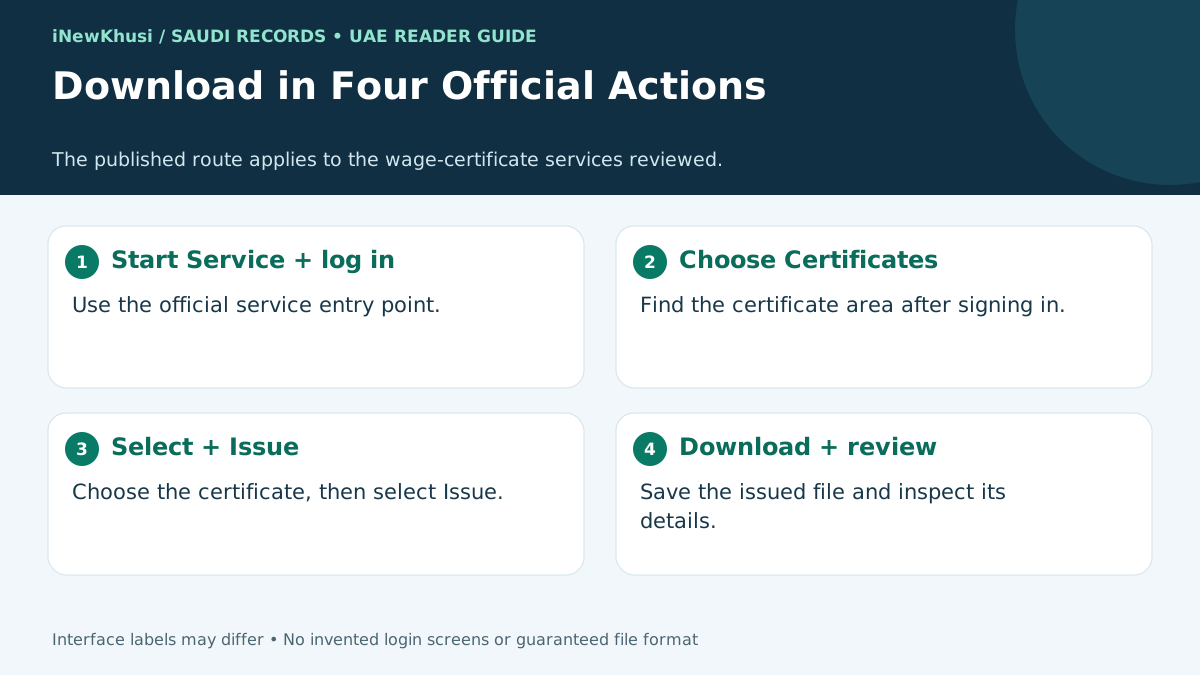
To download a GOSI salary certificate, open the official wage e-certificate service and sign in. Choose Certificates, select the certificate you need, and choose Issue. Download and review the issued document. The official listing describes the service as free and immediate, with website and mobile-app delivery channels.
| Step | Action | Required | Time |
|---|---|---|---|
| 1 | Select Start Service and log in | Access through the official service | No separate step duration published |
| 2 | Choose Certificates | Your signed-in session | No separate step duration published |
| 3 | Choose the certificate and select Issue | The correct certificate selection | No separate step duration published |
| 4 | Download and view the certificate | The issued electronic record | Service overall is listed as immediate |
- Start from the correct official service. Use the wage-certificate entry in Sources below, then select Start Service and complete the sign-in presented to you.
- Open Certificates. Follow the certificate area in your account. Translated labels or visual placement may vary; the published instruction is to choose certificates.
- Select the certificate, then Issue. Match the service to your required record. Do not substitute a certificate with a different scope just because its name looks similar.
- Download and inspect the result. Save the issued file and review the information it actually contains. This guide does not guarantee a file format or fields that were not specified in the reviewed descriptions.
The result? You have followed the published route without relying on a fabricated screenshot sequence. The diagram above illustrates the official actions; it does not pretend to show a logged-in account.
How to Verify a GOSI Electronic Certificate
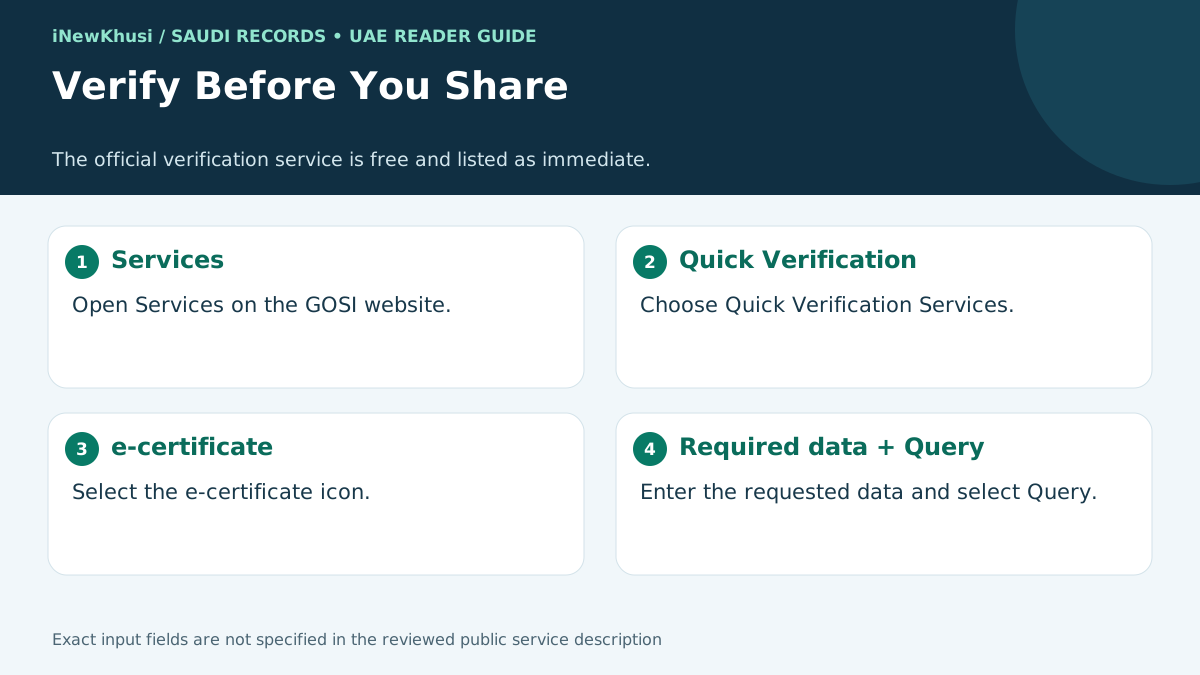
Downloading is only one part of the job. GOSI also provides an online verification service for electronic insurance certificates issued at the request of a subscriber, beneficiary or establishment.
- Open the GOSI website.
- Go to Services.
- Choose Quick Verification Services.
- Select the e-certificate icon.
- Enter the data requested by the live form.
- Select Query.
The reviewed public description does not name every input field. For that reason, this guide does not invent a mandatory certificate-number format, national-ID combination or QR-code scanning requirement.
Verification is free and listed as immediate. The official description says it can be completed without visiting a branch. Use the live form rather than an unofficial tool that asks you to upload your record.
Missing Certificate, Wrong Details or Download Problems
| What you see | A sensible next action | What not to assume |
|---|---|---|
| The certificate option is missing | Check the service type, then seek GOSI guidance | That UAE residency alone makes the option available |
| The information looks wrong | Compare your own records and raise the discrepancy with GOSI | That editing the downloaded document is an acceptable correction |
| The download does not complete | Check the active session and connection; retry the official route | That an intermediary payment will fix the issue |
| The recipient refuses the record | Ask which document and scope it needs | That GOSI issuance guarantees acceptance |
| An input field is unclear | Follow the current form instructions or seek official help | That a third-party field list matches the live form |
These are troubleshooting suggestions, not official refusal reasons. The reviewed service listings do not publish a comprehensive personal wage-certificate rejection-code list. No invented fine, employment-status rule or account restriction is presented here as a verified cause.
Keep personal and business cases separate. Rules for an establishment seeking its own certificate should not be presented as automatic rejection grounds for an individual wage-record request.
Validity, Reprinting, Offline Help and Service Limits
| Route | Verified position | Useful boundary |
|---|---|---|
| Online issuance | Officially described as available without visiting the authority | Follow the four published actions |
| Offline issuance | No separate offline workflow was established by the reviewed listing | Ask GOSI for guidance if digital access is blocked |
| Reprinting | GOSI’s service catalogue describes reprinting an already issued e-certificate | Do not invent a renewal workflow |
| Validity or expiry | No fixed validity period established by the reviewed public descriptions | Check the issued record and recipient’s requirements |
| Benefit | Limit to remember |
|---|---|
| Free electronic issuance | No promise that an unrelated recipient will accept it |
| Periods-and-wages record includes Saudi and non-Saudi subscribers | Current-wage service has a differently worded nationality scope |
| Digital access without a routine authority visit | No verified overseas phone-access guarantee |
| Official verification and catalogue reprinting functions | No verified blanket expiry or renewal rule in this guide |
Do not invent a renewal date. No fixed certificate expiry, application deadline or standard validity window was established by the reviewed public descriptions. A recipient’s request for a recent document is a separate question to confirm with that recipient.
This is a certificate task, not a benefit claim. The reviewed certificate listings do not describe a payout amount, investment tenure, premium, interest rate, tax deduction, subsidy or withdrawal process. Those figures do not belong in this guide.
If finance is your next step, keep its checklist separate. Our Al Rajhi personal-finance document guide and Emkan application and document checklist are related reading—not proof that this certificate satisfies a lender’s requirements.
For a UAE mortgage enquiry, review the recipient’s own documentation separately. The Mashreq home-loan guide for UAE residents offers a different reading path. No UAE acceptance promise is being made here.
Official Support and the Verified Hotline Update
The current national service listings show 199044. GOSI’s indexed official announcement is dated 3 September 2025 and identifies the launch of that customer hotline.
Do not add an unverified international dialing format. The reviewed listings do not establish whether this short number can be reached from the UAE. Use the official support information for your location.
Read opening-hour labels carefully. The national service pages list branch working hours of 8 AM–8 PM, Sunday–Thursday. This guide does not convert those into a confirmed hotline schedule or UAE-local hours.
No usable email address is printed here. The retrieved service-page email was masked, so it has not been guessed. No certificate-specific 2026 amendment was established by the reviewed material.
Frequently Asked Questions
Can non-Saudi subscribers download a GOSI wage certificate?
Yes. The official Issue Wage e-certificate description explicitly includes Saudi and non-Saudi subscribers and covers their periods and wages. Do not confuse it with the separately listed current-wage certificate, whose description names a Saudi contributor. Start with the service whose stated scope matches your record and the recipient’s request.
Is downloading a GOSI salary certificate free?
The national service listings mark both the periods-and-wages certificate and the current-wage certificate as Free. The separate electronic-certificate verification service is also listed as free. This refers to the published government service cost, not a claim about unrelated internet, printing or optional third-party charges.
How long does GOSI certificate issuance take?
The official service duration is listed as Immediately for both certificate-issuance services reviewed. That is the published service classification, not a guarantee that sign-in difficulties or record discrepancies will be resolved instantly. The source does not publish a separate fixed processing time for each of the four actions.
Can I use this guide while living in the UAE?
This guide is relevant if you are in the UAE and need a Saudi GOSI wage or contribution-period record. It does not establish eligibility based on UAE residence alone, and it does not explain how to obtain a UAE-employer salary letter. Confirm the required document and its acceptance with the receiving institution.
Which documents must I upload for the certificate?
The retrieved public service descriptions did not show a populated mandatory document-upload checklist. That is why this guide does not declare an Iqama, passport or Emirates ID upload mandatory, or declare that no documents can ever be required. Follow any requirements displayed by the current official service after you sign in.
How do I check whether a GOSI e-certificate is valid?
The official route is GOSI website, Services, Quick Verification Services, then the e-certificate icon. Enter the required data shown on the live form and choose Query. The reviewed description lists verification as free and immediate, but it does not identify every input field or establish a universal QR-code requirement.
Does the certificate expire, and can I print it again?
The reviewed public descriptions did not establish a fixed expiry period. Check the issued record and the recipient’s requirements instead of assuming a universal validity window. Separately, GOSI’s contribution-service catalogue describes reprinting an already issued electronic certificate and verifying its validity; it does not establish a standard certificate-renewal procedure.
Your Next Step: Download the Right GOSI Record
Getting your GOSI salary certificate starts with choosing the right service. The periods-and-wages certificate explicitly includes Saudi and non-Saudi subscribers. The separate current-wage description names a Saudi contributor, so the two scopes should not be merged.
Next, follow the four official actions: sign in, choose Certificates, select and issue, then download and review. Issuance is listed as free and immediate, with a separate free verification service available.
Finally, keep your UAE use case separate from Saudi issuance. Confirm the receiving institution’s document requirements before sharing the record.
Ready to begin? Open the official wage-certificate service in Sources below and follow the live instructions. Which document did your recipient request: periods and wages, current wage or an employer salary letter? Share only the document type in comments—not personal account information.
Sources
- Issue Wage e-certificate — National Platform — https://my.gov.sa/en/services/20276
Overview, quick facts, certificate comparison, eligibility, preparation limits, issuance cost, channels, language, steps and FAQ. - Issue current wage E-certificate — National Platform — https://my.gov.sa/en/services/20435
Current-wage scope, nationality distinction, issuance steps, cost, duration, languages and delivery channels. - Verify e-Certificate — National Platform — https://my.gov.sa/en/services/23372
Verification scope, workflow, free cost, immediate duration and website channel. - Contribution services catalogue — GOSI — https://www.gosi.gov.sa/GOSIOnline/Contribution_&locale=en_US
Contributor e-certificate, certificate code, reprinting and validity verification; distinction from establishment services. - General Organization for Social Insurance — National Platform — https://my.gov.sa/en/agencies/17354
Saudi authority context and support contact information. - GOSI launches new customer hotline, 199044 — GOSI — https://www.gosi.gov.sa/en/MediaCenter/News/NewsDetails/1/003092025
Hotline announcement dated 3 September 2025, verified from indexed official announcement results; direct page requires JavaScript. - GOSI news listing — GOSI — https://www.gosi.gov.sa/en/MediaCenter/News/6
Indexed official news listing corroborates the hotline announcement title and date.
Verification boundary: the core service facts above come from the official national service descriptions. Direct modern GOSI pages may require JavaScript. Where public fields or account-specific information were unavailable, this guide states the limitation instead of filling the gap.
All information verified from official sources on 4 November 2026. Interpret that date within the verification boundaries stated above; this is not a claim of access to a private GOSI account.
