
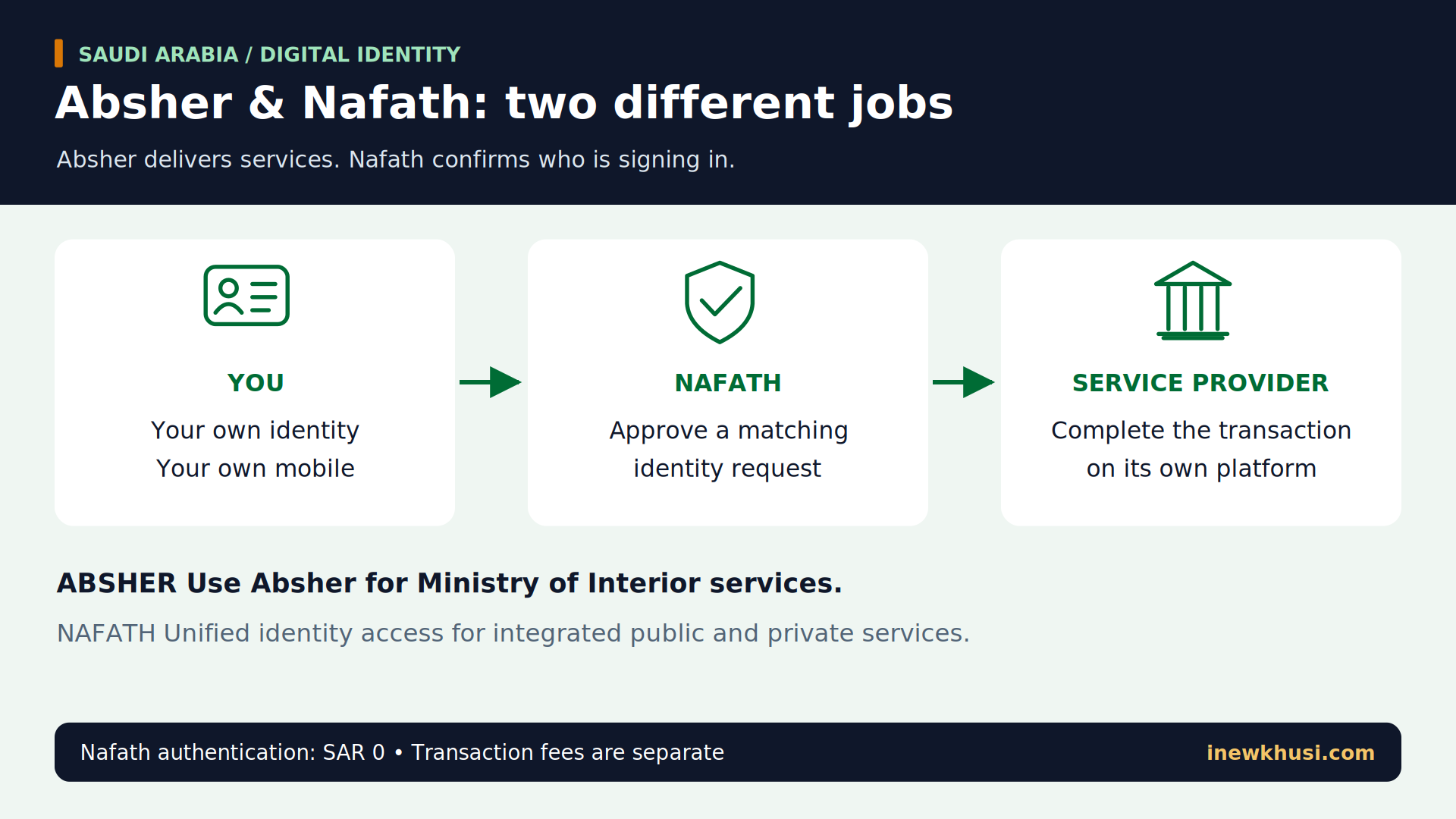
Confused about Absher & Nafath in Saudi Arabia? Both involve your identity, but they do different jobs—and installing an app alone does not finish account activation.
This guide separates registration, digital identity activation and login approval. You will learn the published steps, which services belong where, and when a fee applies to the transaction rather than the login.
In this guide, you'll discover:
- What each platform actually does.
- How to register and activate your identity.
- How to approve a matching Nafath request.
- How to avoid common access mistakes.
Let’s dive in.
| Quick fact | What to know |
|---|---|
| Authorities | Absher: Ministry of Interior; Nafath: SDAIA / National Information Center. |
| Portal / app | Absher Individuals portal and app; Nafath app and integrated sign-in. |
| Audience | Citizens and residents; some services also support visitors. |
| Fee in SAR | Nafath authentication: SAR 0. Government transactions may cost extra. |
| Timing | No universal account-activation time established in the reviewed guidance. |
| Identity requirements | Your own National ID / Iqama or supported Border Number; mobile access. |
| Support | Nafath: 8001221111; Absher publishes 920020405. |
Source: Absher registration and service guidance; GOV.SA National Single Sign-On listing. Full links are at the bottom.
What are Absher & Nafath in Saudi Arabia?
Absher is the Ministry of Interior’s electronic-services platform. Nafath is the national single-sign-on identity service for integrated government and private platforms. Absher helps you perform transactions; Nafath helps confirm who you are. A successful Nafath approval does not, by itself, complete the service provider’s application.
| Platform | Main job | Important limit |
|---|---|---|
| Absher | Ministry of Interior services and personal account access. | Available services depend on identity and eligibility. |
| Nafath | Identity verification for integrated public/private services. | Does not replace the provider’s service application. |
Source: Absher service FAQs; GOV.SA / SDAIA National Single Sign-On.
Explore our Saudi Arabia guides for related resident services. This guide concerns Saudi systems only.
Who can register, and what should you prepare?
Start with your own identity details and a mobile you control. An Iqama is a resident identity document; a Border Number identifies an arrival in relevant Saudi systems.
| Item | What it is for | Condition |
|---|---|---|
| National ID / Iqama / Border Number | Absher registration identity field. | Use the document type supported for your case. |
| Mobile number | Verification and account communications. | Do not reuse another person’s linked number. |
| Username and password | Absher account credentials. | Follow current form rules; password minimum: eight characters. |
| Nafath app and phone access | Receiving and approving identity requests. | Complete the app’s requested identity checks. |
Source: Absher registration form and password policy; SDAIA Nafath guides.
Check your document status using our Iqama validity guide. Registration does not override residency restrictions.
Absher registration: create your account
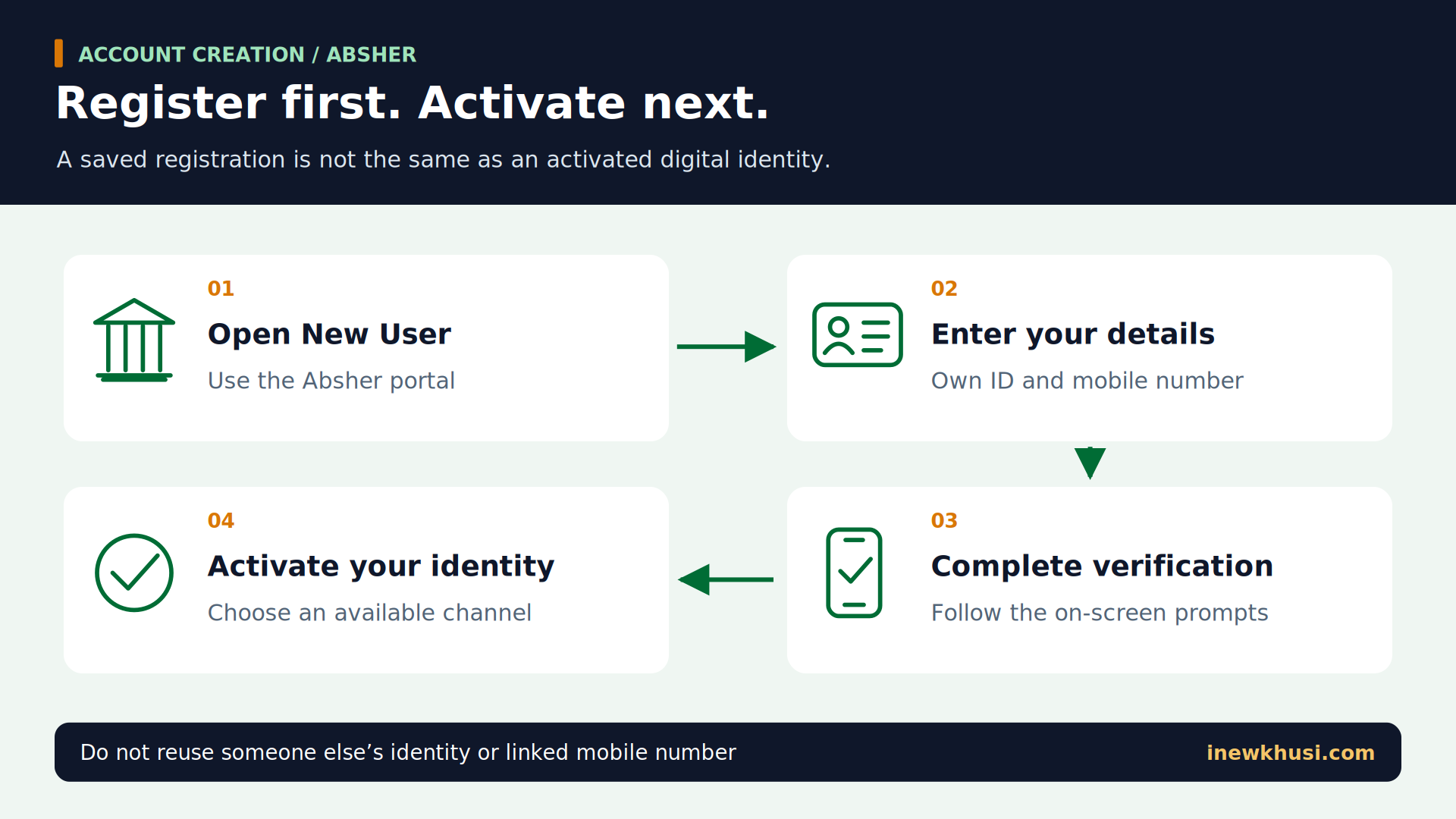
- Step 1Open Absher and choose “New User” / registration. Use the registration page listed in the sources, not an advertisement.
- Step 2Enter “ID/Iqama/Border Number” and “Mobile Number”. Complete the remaining fields requested by the live form.
- Step 3Create your username and password. Follow the displayed password policy and review every entered digit.
- Step 4Complete the on-screen verification. Finish the registration prompts, then complete an available activation route.
Activate your Absher identity through Nafath
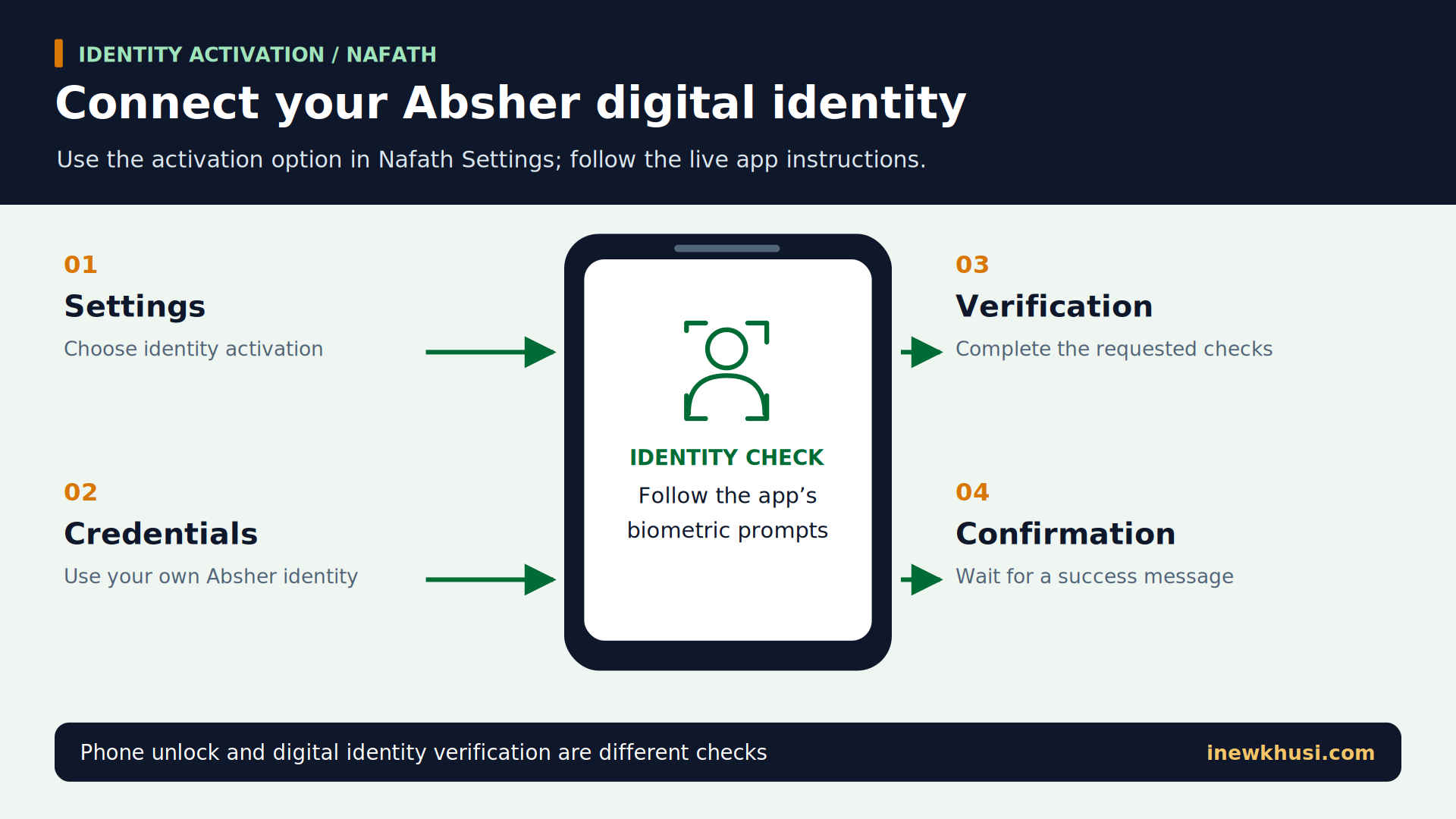
- Step 1Open Nafath → “Settings”. Choose the option to activate the digital identity originating from Absher.
- Step 2Supply the requested Absher identity credentials. Complete the mobile-code or personal-code prompts shown in your app.
- Step 3Follow the additional verification instructions. Complete the biometric check exactly as displayed; screen order can vary by version.
- Step 4Wait for successful completion. Do not leave the app while verification is processing.
App versions differ: the published guides describe biometric checks differently. Follow your live capture instructions.
Use Nafath to approve a service login
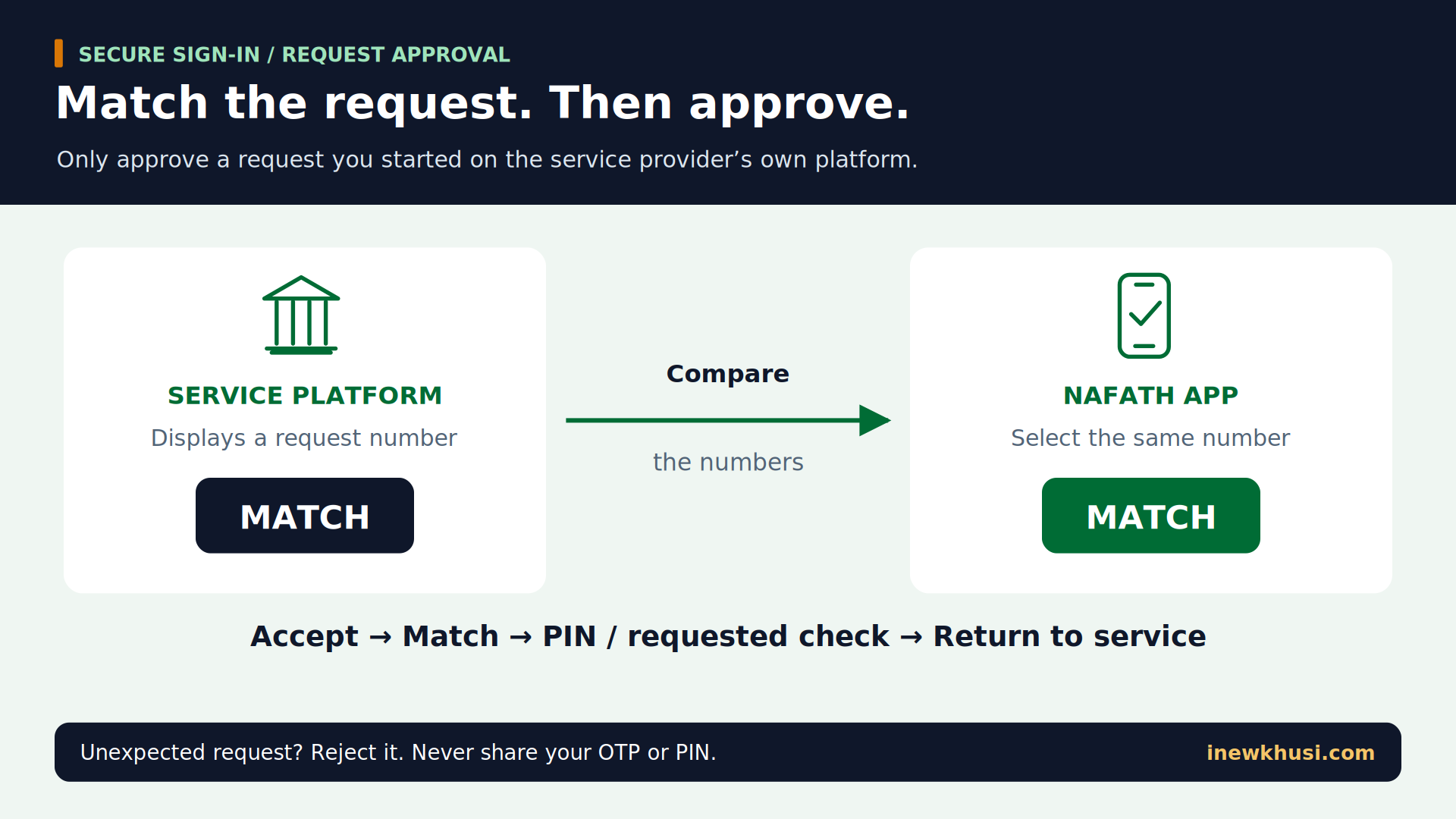
- Step 1Choose the provider’s Nafath sign-in option. Enter your ID when requested and note the displayed request number.
- Step 2Open Nafath → “Requests”. Review the incoming request and choose “Accept” only if you initiated it.
- Step 3Match the number. Select the number that matches the service platform and enter your six-digit PIN when requested.
- Step 4Complete any further verification and return to the provider. Continue the actual application there.
Which services can you use?
Absher includes passports, civil affairs and traffic services. Nafath provides identity access to integrated government and private providers—not a universal catalogue of transactions performed inside its app.
| Task | Where it happens | Eligibility reminder |
|---|---|---|
| Vehicle registration renewal | Absher: Vehicles → Manage Vehicles → required vehicle → Renew Vehicle Registration. | The system checks the vehicle’s renewal eligibility. |
| Newborn registration | Absher: Civil Affairs Services → Newborn Registration Service. | For eligible parents; delivery charges may apply. |
| Passport / residency / visa services | Relevant Absher service, where available to the account. | Citizens, sponsors and residents have different permissions. |
| Integrated provider sign-in | Provider platform plus Nafath approval. | The provider applies its own service conditions. |
Source: GOV.SA vehicle and newborn service pages; Absher FAQs; SDAIA sign-on listing.
For related reading, see our Al Rajhi account-opening guide. Identity authentication and bank approval are separate decisions.
Do Absher & Nafath charge account fees?
GOV.SA lists National Single Sign-On Services as free: Nafath authentication costs SAR 0. Absher describes its electronic delivery channels as free of charge. That does not make every government transaction free: permit, visa, vehicle, document-delivery or other charges depend on the selected service and its published requirements.
Read the payment summary. This guide establishes no universal VAT rule, account-expiry period or guaranteed activation time.
For residency planning, our Iqama renewal guide covers that separate topic. Account activation does not renew an Iqama.
Bank activation and in-person alternatives
Bank activation is an alternative where supported. Absher publishes these specific Bank AlJazira Online / SMART steps; do not assume another bank uses identical menus.
- Step 1Select “Government Services” → “Absher Activation”. Check the displayed ID/mobile number, choose the language and proceed.
- Step 2Read the terms and choose “Confirm”. Enter the verification code and select “Continue”.
- Step 3Wait for the completion message. Then test access through Absher.
Other channels include kiosks and activation offices. Confirm availability with Absher before travelling; do not assume walk-in access.
Common errors and safe fixes
| Problem | Safe next action |
|---|---|
| Request expired | Return to the provider and submit a new request. |
| PIN rejected | Use your Nafath personal PIN, not your Absher password or an SMS code. |
| Wrong number / unknown request | Do not approve; reject a request you did not initiate. |
| Biometric check fails | Re-read capture instructions and repeat only as directed. |
| Identity or mobile mismatch | Recheck your details; use official recovery/support, not someone else’s account. |
Source: SDAIA platform guide and activation guide; Absher registration warnings.
Frequently Asked Questions (FAQs)
Are Absher and Nafath the same account?
They are connected, but they are not interchangeable platforms. Absher provides Ministry of Interior services and identity credentials. Nafath verifies identity for integrated providers. You may use your Absher identity during a Nafath workflow, but the actual government or private application remains with its own provider.
Can a visitor use the same services as a resident?
Do not assume equal access. Absher’s registration form supports a Border Number field, and GOV.SA’s Nafath listing includes visitors among target users. Neither fact establishes eligibility for every resident service. Check the live identity-type options and the specific service’s conditions before starting.
Is the Nafath PIN my Absher password?
No: the Nafath PIN is a six-digit personal code. SDAIA’s guide distinguishes it from the Absher password and the one-time mobile verification code. Use the credential requested on that exact screen. Never send any of these codes to another person to finish a login.
Does Nafath approval finish my government application?
No: approval verifies access or identity, not the underlying outcome. Return to the service provider after the request is accepted. Review the application status, any further conditions and the confirmation message there. Keep the provider’s transaction reference if the completed service generates one.
What should I do when a Nafath request expires?
Start again from the service provider. SDAIA’s platform guide instructs users to submit a new request after a timeout, rather than attempting to approve the stale one. Compare the newly displayed number with the new Nafath request and follow the countdown shown for that session.
Your next step: register, activate, then use
Absher & Nafath work best when you separate their roles. First establish the identity account, then complete activation, and finally approve a matching request when a service provider needs it.
- Register accurately: use your own identity and mobile details.
- Activate deliberately: finish the identity checks, not just app installation.
- Approve safely: match the request number and return to the provider.
Start with Absher’s registration page in the source list below, or open the official Nafath app if your existing identity needs activation. Keep the provider’s eligibility and fees separate from the login step. Which part of your first setup was most confusing? Share your experience in the comments.
Official Sources & References
- Absher — New-user registration — https://www.absher.sa/wps/portal/individuals/static/register
- Absher — Digital identity activation through Nafath — https://www.absher.sa/wps/wcm/connect/individuals/contents/individuals/Nafath_EN
- SDAIA — Digital national identity activation guide (Arabic, v5.0) — https://sdaia.gov.sa/ar/Services/ServicesGuidelines/IAM/IAM%20Digital%20National%20ID%20Activation%20Service.pdf
- SDAIA — Nafath platform user guide — https://sdaia.gov.sa/en/Services/ServicesGuidelines/SingleSignontoGovernmentPrivateServices.pdf
- GOV.SA / SDAIA — National Single Sign-On Services — https://my.gov.sa/en/services/119727
- GOV.SA / Ministry of Interior — Vehicle registration renewal — https://my.gov.sa/en/services/112111
- GOV.SA / Ministry of Interior — Register Newborn Service — https://my.gov.sa/en/services/112099
- Absher — Service directory FAQs — https://www.absher.sa/wps/wcm/connect/individuals/contents/individuals/FAQs_EN
- Absher — Bank AlJazira activation instructions — https://www.absher.sa/wps/portal/business/static/activationcenters/!ut/p/z0/fY6xDoIwFAB_pQvzKxJIV4wRYzQRJ3hL84BqKqQFXyF8vsTFzfGSy-UAoQJ0tNgnBesdDRvXmOk4PqjTrpCXorwmMr8n2VGVe3lTKZwB_wtbwb6mCXPA1rtg1gBVM7N1hlmM_h1oiCTbzojGr4Yj2ZDrWVAb7PK9iORIrH-c6s48aB6CNg7GHusPcrEC5g!!/
- Absher — Service channels — https://www.absher.sa/wps/portal/individuals/static/footer/eparticipation/!ut/p/z1/jZJBb4IwFMc_yw4eR19bKM1upUhBNCCbynpZdGFIomCQjezbjzEPM1HCu7X9_fryfy3SKEW63H4V-bYpqnJ76Navmr1h7HKfKJhDspTApJhakbmmUWiiTQ8ojEUPKJUQWEqBqS0czLGF9H-fh4nbHccMv_g-5Y518QeAXx8isnBxd60HS990rYUHl7r4loxlwBcUq3hlA_FscyZZqNZgj_PhTgkY6d8H9Jj5MTKX2OckhDXr8k9JzC0PEwjYuP4DDfRwvA3SNxABTkIcCqAichO4HlEPDL1BDwyEnCGdH6rd34cT5Y7yHOk6-8jqrDY-62573zSn89MEJtC2rZFXVX7IjPfqOIFbyr46Nyi9JtFzVqLTcdVXCkXwqHfftBUPP4zIyCQ!/dz/d5/L2dBISEvZ0FBIS9nQSEh/?uri=nm:oid:absher.footer.sc
All information verified from official Saudi Arabia government and regulatory sources on 6 November 2026.
Scope note: account/authentication guidance only. Dynamic screens were partly inaccessible; universal fees, timelines and eligibility thresholds are not inferred.
