
Waiting for your Emirates ID is stressful. Without it, you can’t open a bank account, finalise a tenancy contract, get a SIM, or even pick up a parcel from some couriers. The good news? You don’t need to call anyone, visit a typing centre, or pay a single dirham to know exactly where your card is.
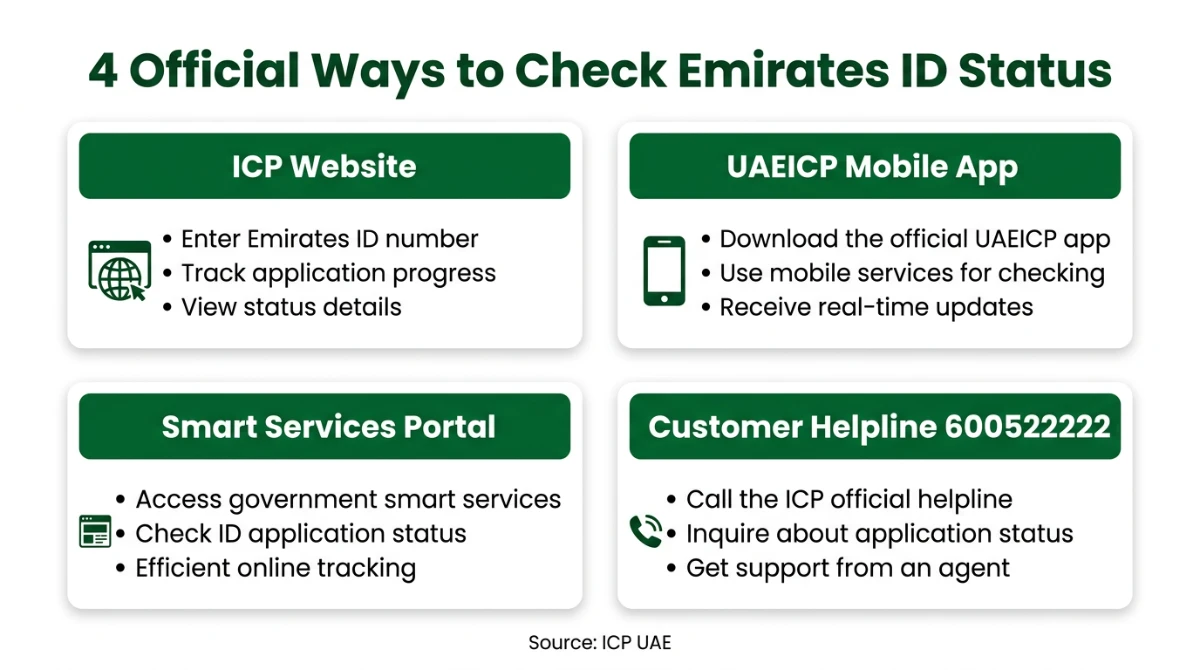
This guide walks you through every official way to check your Emirates ID status in the UAE — the ICP website, the UAEICP mobile app, the Smart Services portal, and the customer helpline. You’ll also learn what each status message actually means, how to fix common errors, and how to find your PRAN if you lost the receipt.
Let’s get straight to it.
Quick Answer: How to Check Emirates ID Status
Visit icp.gov.ae → click Public Services → ID Card Status → enter your PRAN (Application Number) or Emirates ID number → click Search. You can also use the UAEICP mobile app or call the helpline on 600 522 222. All channels are free and official.
What Is the Emirates ID and Why Does Status Matter?
The Emirates ID is the mandatory national identity card issued by the Federal Authority for Identity, Citizenship, Customs & Port Security (ICP) — the body formerly known as ICA — to every UAE citizen and resident. It carries a unique 15-digit identification number, biometric data, and a smart chip used across government, banking, telecom, healthcare and travel within the GCC.
Tracking the status matters because the Emirates ID is the last step of the residency process. Until it is printed and delivered, many essential services remain blocked — including most zero balance bank accounts in the UAE that require an active EID for KYC.
Documents You Need Before Checking
You don’t need a login to check the basic status. You only need one of the following:
- PRAN / Application Number — printed at the top of your ICP application receipt.
- Emirates ID Number — the 15-digit number on your existing card (used for renewals and replacements).
Method 1 — Check Emirates ID Status on the ICP Website
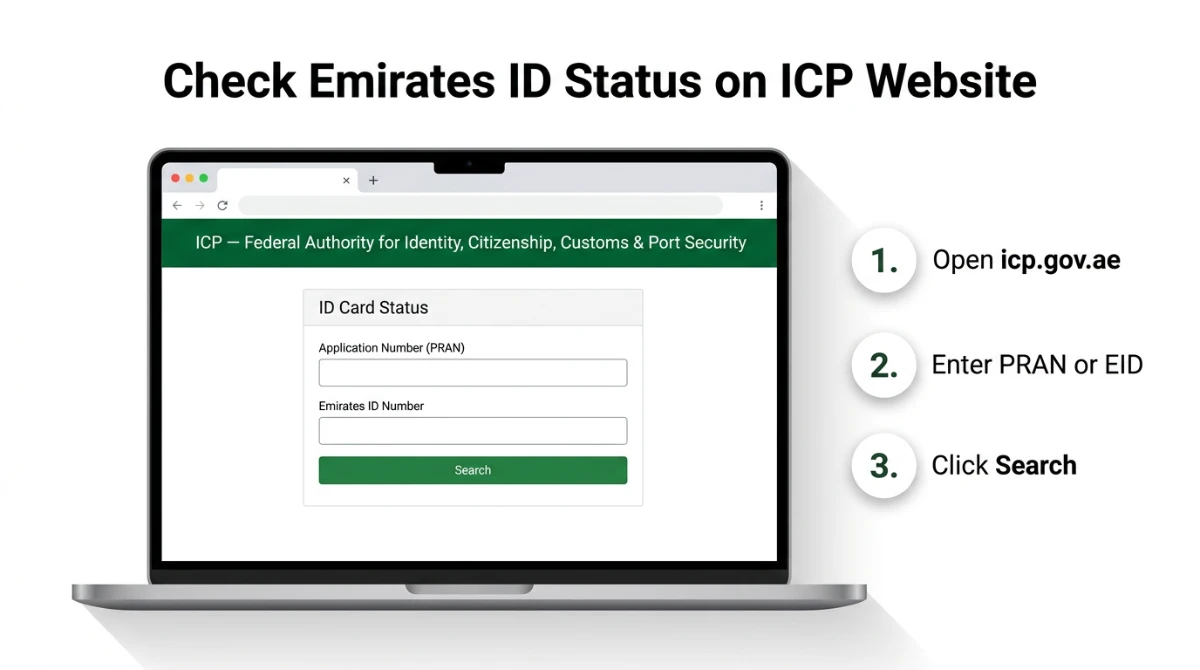
The fastest way is the dedicated status page on the ICP portal. It works on desktop and mobile, and no account is needed.
- Open your browser and go to icp.gov.ae.
- Switch to the English language toggle (top-right) if needed.
- From the menu, choose Public Services → Priority Services → ID Card Status.
- Enter your Application Number (PRAN) for new applications, or your Emirates ID number for renewals/replacements.
- Solve the captcha (if shown) and click Search.
- The result panel will display your current stage — Under Process, Card is Printed, Dispatched, or Delivered.
Method 2 — Use the UAEICP Mobile App
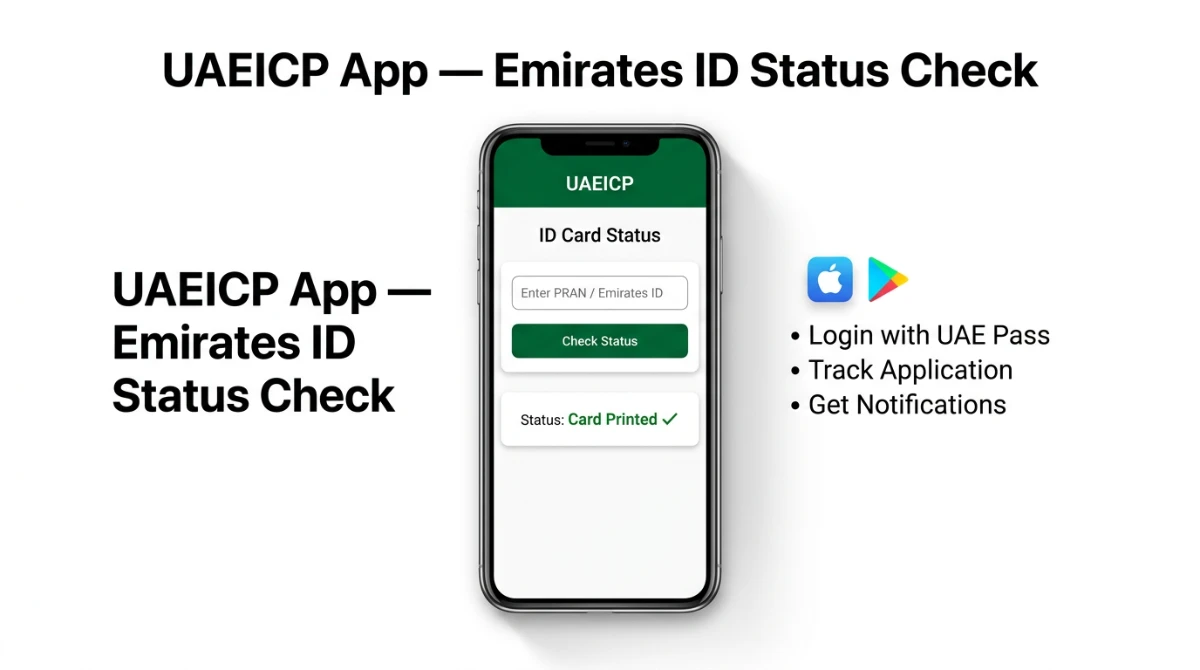
The UAEICP app is the official ICP mobile application for citizens, residents and visitors. It bundles status tracking with services like residency renewal, fines payment, and entry-permit applications.
- Download UAEICP from Google Play or the App Store (publisher: Federal Authority for Identity, Citizenship, Customs & Port Security).
- Open the app and either log in with UAE Pass or continue as a guest.
- Tap ID Card Status from the home menu.
- Enter your PRAN or Emirates ID number and submit.
- Enable push notifications to be alerted automatically when the card is printed or dispatched.
Method 3 — ICP Smart Services Portal
For applicants who already have an ICP account, the Smart Services portal at smartservices.icp.gov.ae shows a complete history of all your applications, including the EID under process. This is the recommended channel if you submitted your application online or through a typing centre using your UAE Pass.
- Open smartservices.icp.gov.ae.
- Log in with UAE Pass or your ICP credentials.
- Go to My Applications → Emirates ID.
- Open the latest request to see real-time status, transaction details, and any required actions.
Method 4 — ICP Customer Helpline (600 522 222)
If the online portals are showing an error, or your status seems stuck for more than 10 working days, call the ICP customer helpline on 600 522 222. The line operates in Arabic and English. Keep your PRAN, passport copy, and date of birth ready before calling.
You can also use the contact form on icp.gov.ae or visit a Customer Happiness Centre in your emirate for in-person assistance.
Compare All Four Methods at a Glance
| Method | Best For | Login Needed | Fee |
|---|---|---|---|
| ICP Website (icp.gov.ae) | Quick one-time status check | No | Free |
| UAEICP Mobile App | Tracking on the go + push alerts | Optional (UAE Pass) | Free |
| Smart Services Portal | Full application history & documents | Yes (UAE Pass / ICP) | Free |
| Helpline 600 522 222 | Stuck applications, complaints | No | Standard call rate |
How to Find Your PRAN (Application Number)
The PRAN is the lifeline of your status check. Here’s where to look if you can’t find it:
- ICP application receipt — printed at the top of the page handed to you at the typing centre.
- SMS from ICP — sent to the mobile number used during application; search for messages from “ICP” or “EIDA”.
- Email confirmation — search “ICP application” or “Emirates ID” in your inbox.
- Smart Services account — the PRAN is displayed under My Applications.
- Typing centre — they can re-print your receipt using your passport copy.
What Each Emirates ID Status Message Means
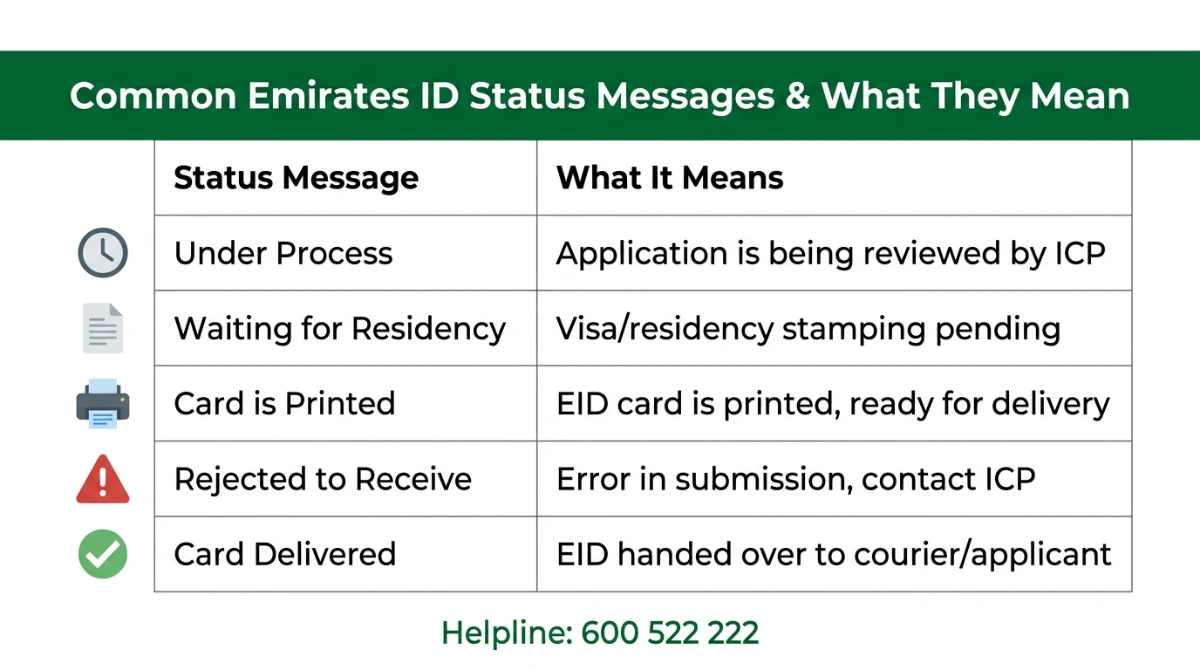
| Status Message | What It Really Means | Your Action |
|---|---|---|
| Under Process | ICP is reviewing the application and biometrics. | Wait — this is the default early stage. |
| Waiting for Residency | Visa/residency stamping isn’t complete yet. | Confirm your visa fees are paid; check with PRO/sponsor. |
| Card Is Printed | The physical EID has been produced. | Wait for delivery SMS from courier (usually Emirates Post). |
| Dispatched / Out for Delivery | The card has left the printing centre. | Track via the courier SMS link. |
| Rejected to Receive | An error in submission or address mismatch. | Visit a Customer Happiness Centre with your passport. |
| Delivered | Card has been handed over. | Activate the chip if needed, store the card safely. |
Common Errors and How to Fix Them
“No data found” after entering the PRAN
Most often this means the application hasn’t been synced to the public lookup yet. Wait 24 hours after submission and try again. If it persists, double-check the PRAN — a single wrong digit returns no result.
Status stuck on “Under Process” for weeks
Standard processing usually takes a few working days for renewals and longer for new residents (because it depends on the visa workflow). If it’s been more than two weeks with no movement, call 600 522 222 with your PRAN ready.
Card printed but not delivered
Delivery is handled by an authorised courier. If a week passes after the “Card Is Printed” stage, contact the courier with the tracking number sent by SMS, or pick up the card from the nearest Customer Happiness Centre after raising a request via the UAEICP app.
How Long Does Emirates ID Take?
| Application Type | Typical Processing Time | Where Delays Usually Come From |
|---|---|---|
| New residency (linked to visa) | From a few days up to several weeks | Visa stamping & medical clearance |
| Renewal | Generally a few working days | Pending fines, expired visa |
| Replacement (lost / damaged) | Typically faster than new applications | Police report & documents |
| Urgent “Fawri” service | Often within 24 hours | Available at selected centres for an additional fee |
Exact timelines depend on application volume, the chosen service tier, and whether your residency is finalised. For real-time, individual estimates, the official portals are always the most reliable source.
Safety Tips: Avoid Fake Portals and Scams
- Use only icp.gov.ae, smartservices.icp.gov.ae, or the official UAEICP app.
- Don’t share your PRAN, passport, or OTP with anyone claiming to be from ICP — they don’t request it via chat.
- Ignore phishing emails about “Emirates ID expiry fines” unless they originate from a verified .gov.ae address.
- If a website asks for card payment to “release” your EID, close it immediately and report to the helpline.
Tip — Once Your EID Is Active
The moment your status reads Delivered, you can finally complete tasks that were on hold — opening salary or savings accounts, finalising a tenancy, getting a credit card, and registering with telecoms. If banking is on your list, this guide on opening bank accounts in the UAE walks you through the documents and digital options that work with a freshly issued Emirates ID.
Frequently Asked Questions
Can I check Emirates ID status without the PRAN?
Yes, but only for renewal or replacement applications. In those cases the ICP portal accepts your existing 15-digit Emirates ID number instead of the PRAN. For brand-new first-time applications, the PRAN is required because no Emirates ID number has been generated yet.
Is checking the Emirates ID status free?
Yes. The ICP website, the UAEICP app, and the Smart Services portal don’t charge anything for status checks. Only the application, renewal, replacement and optional urgent (“Fawri”) services have official ICP fees, paid during the application — never to track it later.
Why does my status say “Waiting for Residency”?
This means the Emirates ID is linked to a residency file that hasn’t been fully approved or stamped yet. Confirm with your PRO or sponsor that the visa fees and medical clearance are complete. Once the residency is issued, the EID workflow continues automatically without you needing to re-apply.
What should I do if my status is “Rejected to Receive”?
This usually points to a data mismatch — incorrect spelling, wrong address, or a document discrepancy. Visit your nearest ICP Customer Happiness Centre with your passport, residency page, and the original receipt. The agent will identify the exact correction needed and re-submit the file from your end.
Can I track Emirates ID delivery on my phone?
Yes. After the “Card Is Printed” stage, the authorised courier (typically Emirates Post) sends an SMS with a tracking link and a delivery window. You can also enable notifications inside the UAEICP app, which will alert you the moment the courier updates the parcel status.
What if I have lost my Emirates ID receipt with the PRAN?
You can recover the PRAN from your ICP Smart Services account, the SMS confirmation sent at the time of application, or your email inbox. As a last resort, the typing centre that submitted your file can re-print the receipt after verifying your passport and contact number.
Can I check Emirates ID status from outside the UAE?
Yes. The ICP website and UAEICP app are accessible globally. As long as you have your PRAN or Emirates ID number, you can check the status from any country. Some banks and government services, however, may still require physical possession of the card to complete enrolment.
Is the ICA portal still working?
The old ICA branding has been merged into ICP — the Federal Authority for Identity, Citizenship, Customs & Port Security. All services that were available on the legacy ICA portal are now hosted on icp.gov.ae and the UAEICP mobile app, so you should bookmark the new domain to avoid outdated links.
Final Takeaway
Tracking your Emirates ID is no longer a guessing game. Between the ICP website, the UAEICP app, the Smart Services portal, and the 600 522 222 helpline, you have four reliable, free, government-backed channels — pick whichever fits your moment. The single most important habit is to keep your PRAN safe from the day you apply; everything else flows from that one number.
If your status is moving slowly, don’t panic — most delays trace back to visa stamping or address mismatches, both of which the ICP team can resolve in minutes once you reach out. Bookmark the official channels, ignore third-party “tracking” sites, and your card will land in your hand without surprises. Got a status message you don’t understand? Drop it in the comments and we’ll help you decode it.
Sources
- Federal Authority for Identity, Citizenship, Customs & Port Security (ICP) — official site: https://icp.gov.ae/en/
- ICP — ID Card Status service page: https://icp.gov.ae/en/services/priority-services/id-card-status/
- ICP Smart Services Portal: https://smartservices.icp.gov.ae/
- UAE Government Official Platform — Emirates ID: https://u.ae/en/information-and-services/visa-and-emirates-id/emirates-id
- UAE Government Official Platform — Track visa application and validity: https://u.ae/en/information-and-services/visa-and-emirates-id/track-visa-application-and-validity
- UAEICP — Google Play listing: https://play.google.com/store/apps/details?id=com.echannels.moismartservices
- UAEICP — App Store listing: https://apps.apple.com/mm/app/uaeicp/id1374301965
Last verified: May 2026. Service names, channels and procedures are based on the official ICP portals at the time of writing. Always confirm current fees and timelines on icp.gov.ae before acting.
